Pause
Predetermine how fast or slow Moveo responds to the user. Moveo's default response time is one second, but this can be changed to other values, such as three or eight seconds. This changes the elapsed time for the next message from Moveo, and the only visible change to the user is that the animated 💬 lasts longer.
Network issues or large files like videos can affect your AI agent's elapsed time.
The pause is very useful not only if your previous message was a bit long for the user to have time to read it, but the pause also gives your AI agent character and makes it more human.
The pause has two fields:
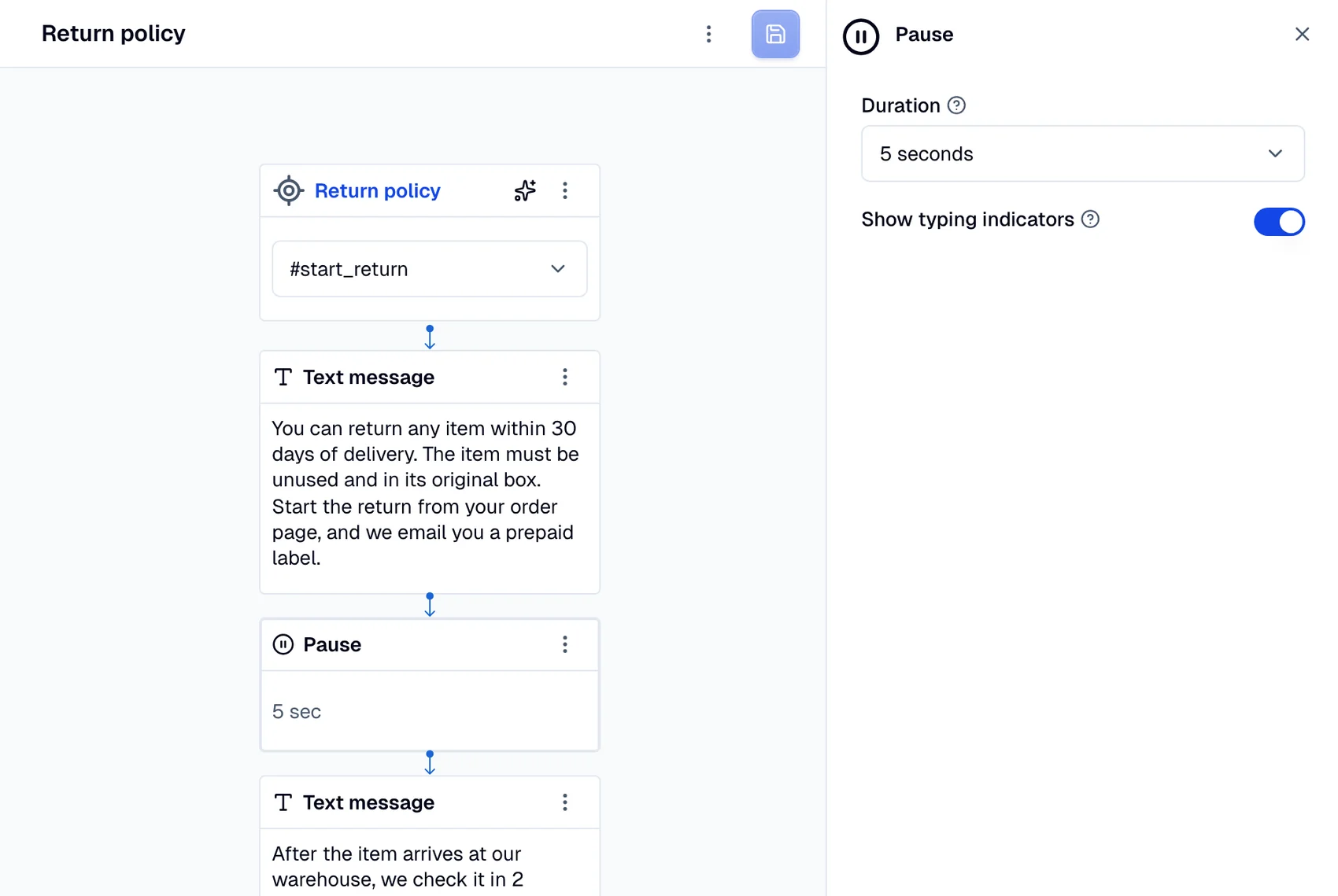
duration: The pause duration (in seconds).show_typing: Show a typing indicator during the pause.
A good example of a pause implementation is shown below. The AI agent sends two large texts to the user. Without the pause, the texts come one immediately after another, leaving no time for the user to read them and at the same time flooding their screen.
Voice integrations
For voice integrations such as Twilio Voice and
Telnyx Voice, Pause has a
different role. It delays the next action in the response, but it does not prevent the caller
from interrupting the AI agent during text-to-speech playback.
The recommended use of Pause on voice is immediately before a Resolve or
Handover action, so the AI agent's last sentence is heard in full before the
call ends or transfers:
[ Text: "Transferring you to an agent now." ]
[ Pause: 1s ]
[ Handover ]
Guidelines:
- 1 second is enough for most desktop and VoIP callers.
- 2 seconds is safer for mobile callers on cellular networks with higher jitter.
The telephony provider signals "audio dispatched" before the caller has actually finished hearing it. There can be 200–300 ms of audio still in flight through the carrier and the caller's device when the next action would otherwise fire, which clips the tail of the last sentence. The pause gives that audio time to play out.