Logs
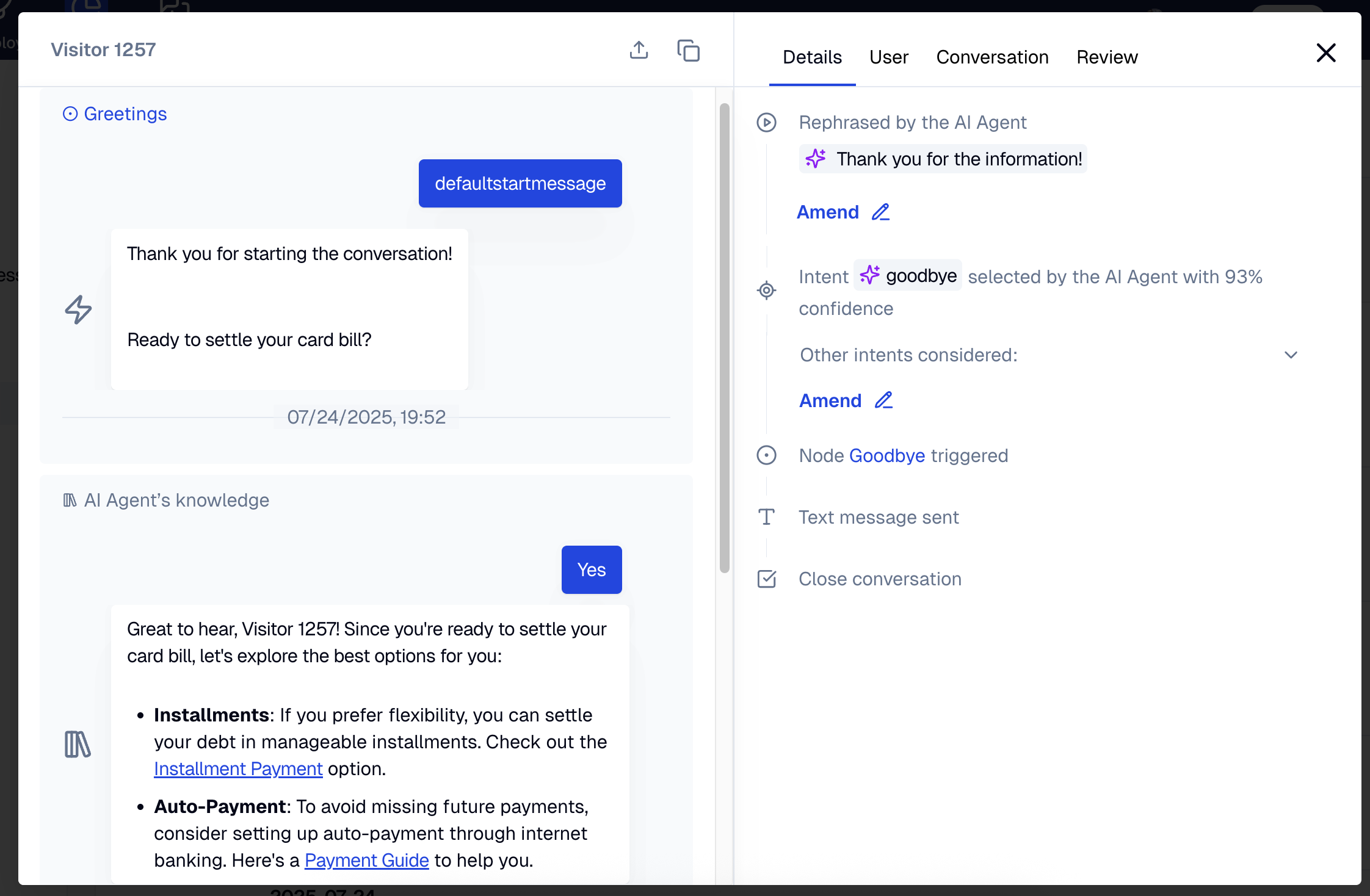
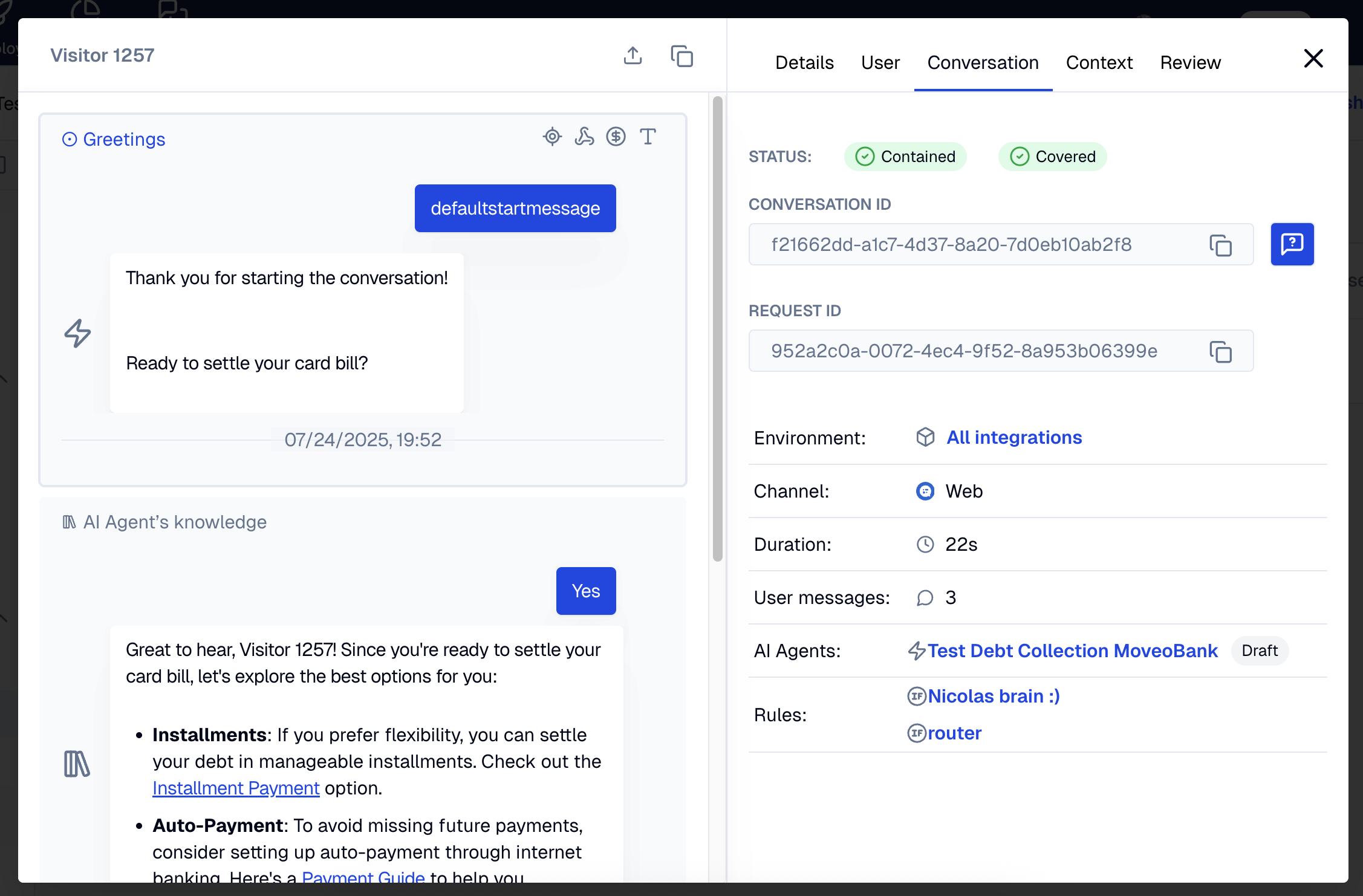
Logs allow you to replay conversations in the Administrator view, similar to the Test experience. When reviewing logs, you can see the predicted intents with their confidence scores, the context of the conversation including variables and user information, and more. You can also use the Amend functionality to improve and fine tune the AI Agent's responses.
Analytics logs
Access conversation logs through the analytics page. This view focuses on overall conversation performance across all agents. Use it to monitor general performance trends.
AI Agent logs
Access conversation logs through the AI Agent page. This view provides detailed information about conversations for a specific AI Agent, including context data. Use it for debugging and improving individual agent performance.
To extract structured outcomes directly in this view, enable Insights for the AI Agent. See Insights for setup and supported data types.
Log views comparison
- Analytics logs
- AI Agent logs
Filtering options
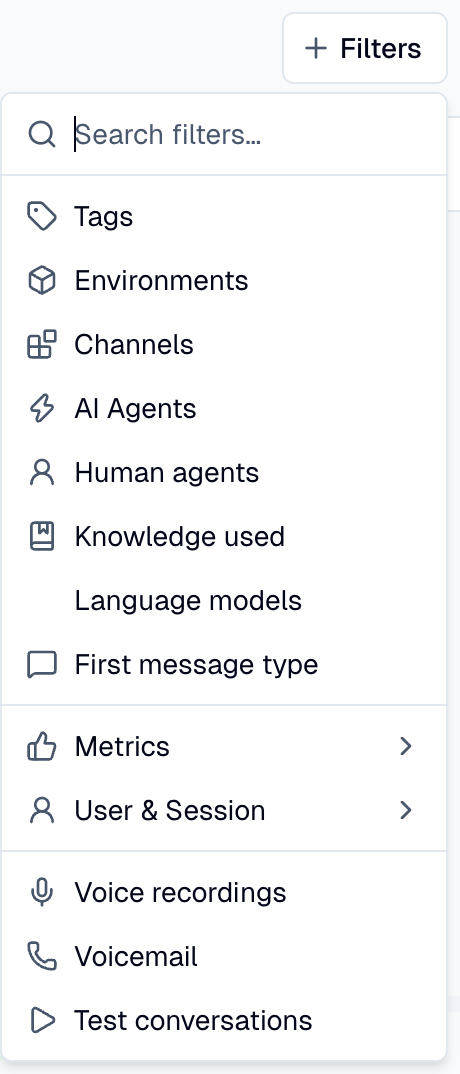
Filter results by:
- Channel (Web, Viber, and others)
- Coverage
- Containment
- Preview conversations
- Tags. With two or more tags, you can choose whether conversations must have all of the tags (default) or any of them.
- Ratings
- Human agents, in the analytics logs only. In Analytics → Conversations, open Filters and select Human agents. The live agent effectiveness page uses the same selection. In the console, that page is Analytics → Human Agents.