Answering machine detection
Answering machine detection (AMD) tells whether a person or a machine answers an outbound campaign call. It runs before the AI Agent speaks. You turn it on in the voice integration, and you choose the voicemail action in each campaign.
Where it works
| Integration | AMD | Mode selection |
|---|---|---|
| Twilio Voice | Yes | No |
| Telnyx Voice | Yes | Yes |
AMD runs on campaign calls only. Moveo does not analyze inbound calls.
Turn on AMD
- Open the Twilio Voice or Telnyx Voice integration.
- In Preferences, select Answering machine detection.
- For Telnyx Voice, select a Mode.
- Click Save.
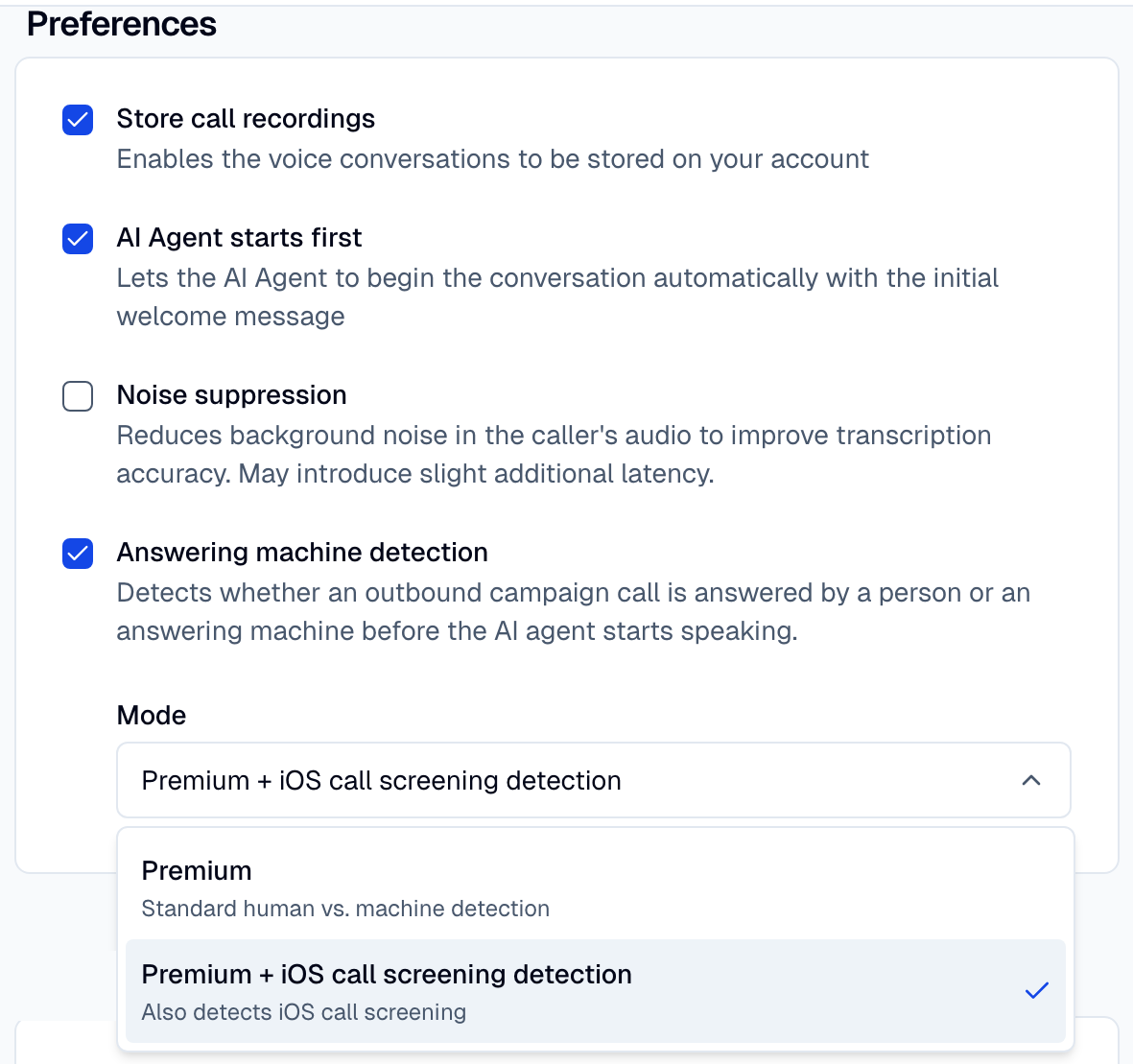
| Mode (Telnyx only) | API value | What it detects |
|---|---|---|
| Premium | premium | Person or machine. |
| Premium + iOS call screening detection | premium_ios_call_screening_detection | Person or machine, and iOS call screening. Default. |
In the API, set amd in the integration config, for example
{ "enabled": true, "mode": "premium" }. Twilio Voice accepts enabled only.
Choose the voicemail action
If its integration has AMD on, the voice sender in the campaign builder shows Voicemail action.
| Option | API value (amd_on_machine) | What happens on a machine |
|---|---|---|
| Continue the call (default) | continue | The call continues like a call that a person answered. |
| Hang up immediately | hangup | The call ends. Nothing is left on the voicemail. |
| Play the opening message, then hang up | opener_then_hangup | The opening message plays once on the voicemail, then the call ends. The message cannot be interrupted. |
A fax ends the call at once with both hang-up options. In the API, amd_on_machine is a key of the
sender metadata.
Verdicts
| Verdict | Meaning |
|---|---|
human | A person answered. |
machine | A voicemail or answering machine answered. |
fax | A fax tone answered. |
not_sure | The carrier did not reach a verdict. |
silence | Nobody spoke. Telnyx only. |
screening | iOS call screening answered. Telnyx only. |
Only machine and fax start the voicemail action. Moveo treats every other verdict as a person,
so it does not drop a real caller.
The AI Agent receives the verdict in the context variable amd_verdict on every turn, and the
verdict time in amd_verdict_at (Unix milliseconds). Use {{$amd_verdict}} in a
condition to branch a dialog. A later verdict, for example
after iOS call screening, updates the variable on the next turn.
Let the AI Agent decide
With Continue the call, turn on the Voicemail detection local tool. On outbound calls, the AI Agent checks the first three caller turns for a voicemail greeting. When it hears one, it hangs up or leaves a message. Write the choice in the guidelines, for example: "On voicemail, leave a short callback message. Leave one message per day at most."
If the message depends on the conversation or the contact, use this tool. If the rule is the same for every contact, use the AMD hang-up options.
Latency trade-off
- With AMD on, the opening message waits for the verdict. Detection runs for up to about 5 seconds after the answer.
- A verdict releases the wait at once. If no verdict arrives in about 5.5 seconds on Telnyx Voice or 7 seconds on Twilio Voice, Moveo treats the call as answered by a person.
- The wait overlaps with Additional delay before the opening message. A delay under about 4.5 seconds often adds no extra silence.
- After the verdict, the opening message also waits until the contact stops speaking, for up to 20 seconds.
- A person who answers with a long greeting can read as a machine.
- Hang up immediately acts on the first verdict. Early in a call, a call screening service sounds like a voicemail, so this option can end a call that a person screens.
Results
When AMD ends a call, Moveo marks the conversation as voicemail:
- The conversation shows Voicemail detected.
- The logs filter Voicemail → Detected finds these conversations.
- Voice analytics show the Voicemail rate.
- Campaign performance shows voicemail time apart from conversation time.