Webhooks
Templates
For template code, see the
integration-guides repository on GitHub, specifically
the directories under /pages/api.
Create your own webhook
Define one webhook URL per AI Agent, then call the webhook from one or more dialog nodes. To create your own webhook, go to your AI Agent → Webhooks → + Create webhook. Provide the following:
- Name
- URL
- Verification token
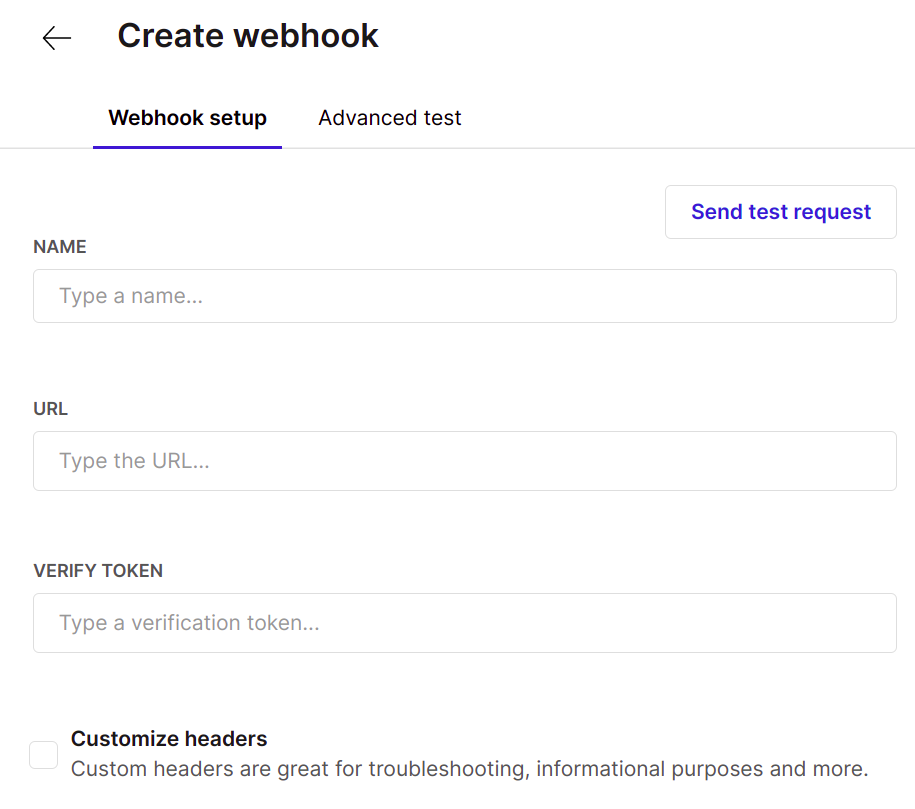
Custom headers
Add custom headers to pass to the service during the webhook call.
The only headers that you aren't allowed to add are:
'Connection',
'Content-Disposition',
'Content-Encoding',
'Content-Length',
'Content-Type',
'Host',
'Upgrade',
'Accept'
Test your webhook
Simple test
Test your webhook by clicking Send test request.
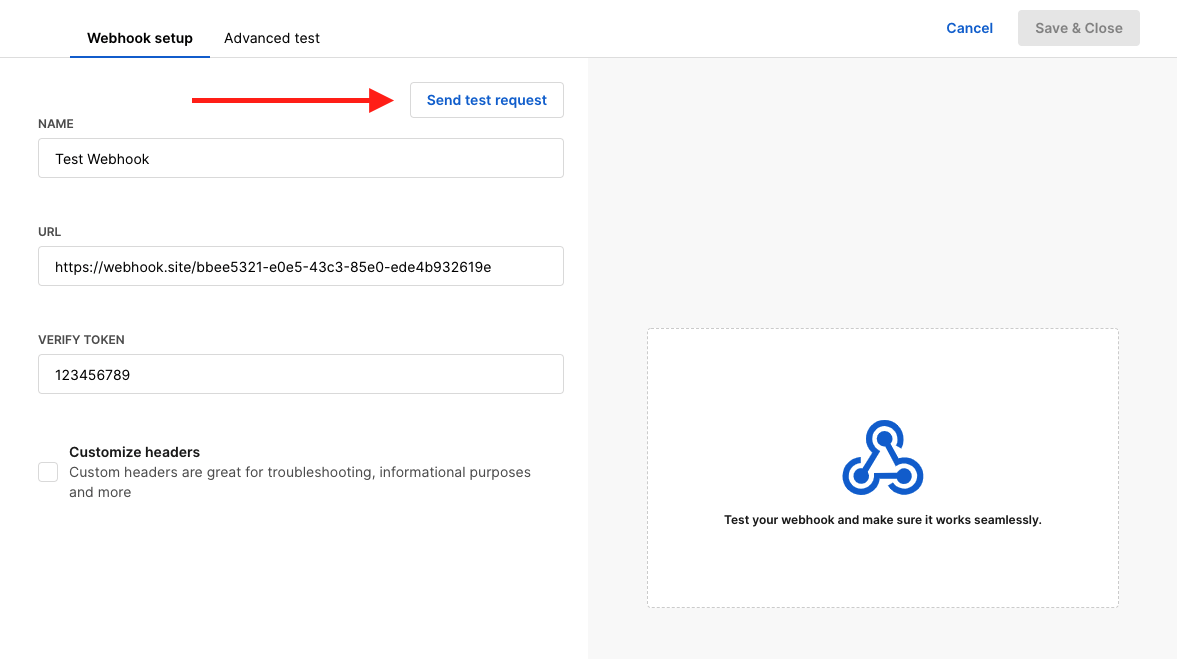
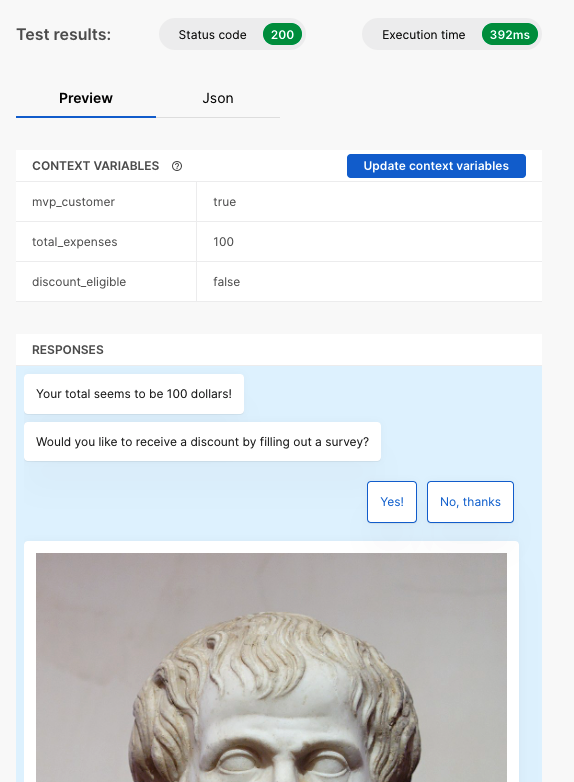
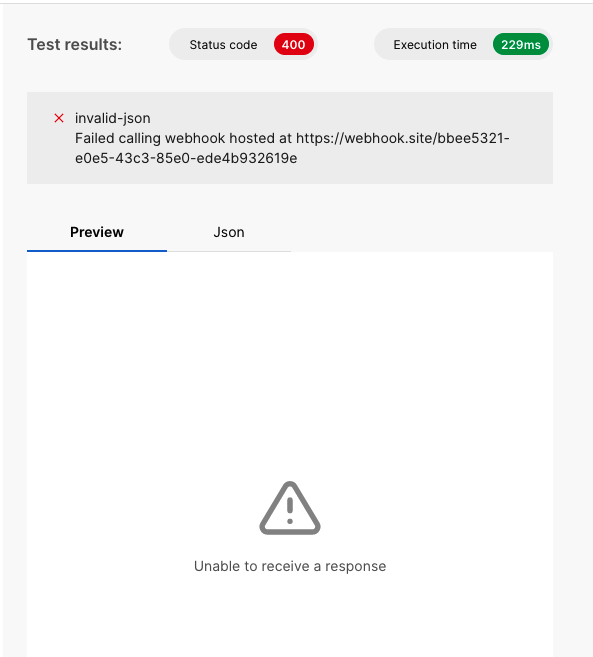
On the right side, you will receive:
- The status code
- The execution time
- The response or any error
- Success
- Error
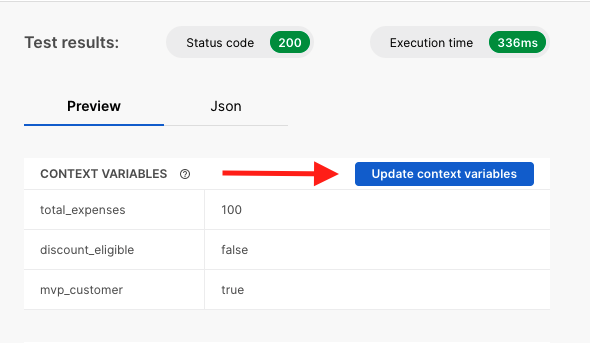
Update context variables
Upon receiving your webhook's response, you can select Update context variables to use the values returned by the webhook in the AI Agent while setting context variables from the auto-complete functionality.
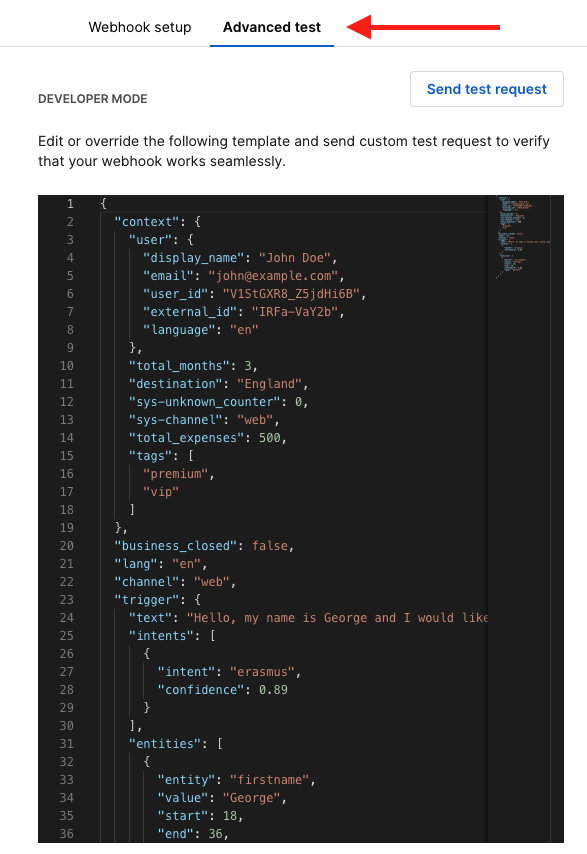
Advanced test
The Advanced test section allows you to edit the payload of the request.
Testing with cURL
The integration-guides repository on GitHub includes ready-made webhooks for your AI Agents that also function as templates for custom implementations.
Random number generator
This is a simple function that returns a random number based on the values of the query parameters. It can be used for simple examples such as A/B testing, and more. You can make an example call to the webhook using curl:
curl -X POST \
-H "Content-Type: application/json" \
-H "X-Moveo-Signature: 7b2e526f80d3ad094ee0a2ccc2501afdab7044f89839f9fcba9466d15a967774" \
-d '{"lang": "el", "channel":"web", "context": {"firstname": "John", "lastname": "Snow"}}' "https://integration-guides.moveo.ai/api/common/random-number-generator?max=100&min=0"
Get recent purchases
This function is more involved and returns a carousel of recent purchases for the user. It takes into consideration a time-cursor so that it can keep loading older cards in the carousel message.
curl -X POST \
-H "Content-Type: application/json" \
-H "X-Moveo-Signature: 7b2e526f80d3ad094ee0a2ccc2501afdab7044f89839f9fcba9466d15a967774" \
-d '{"lang": "el", "channel":"web", "context": {"firstname": "John", "lastname": "Snow"}}' "https://integration-guides.moveo.ai/api/ecommerce/purchases-get-recent"