AI Agents
AI Agents are the intelligent core of Moveo's platform, designed to understand and respond to user queries using modern AI technologies. They leverage knowledge-based systems (RAG - Retrieval Augmented Generation) combined with customizable guidelines to deliver accurate, contextual responses to your users.
Knowledge-first approach
Moveo AI Agents primarily operate using a knowledge-based system that combines two key components:
1. Knowledge (What your agent knows)
The knowledge base contains curated sets of information from various sources:
- FAQs - Direct answers to common questions
- Documents - PDFs, Word docs, and other files
- Websites - Crawled web content
- Knowledge bases - Structured information repositories
Your AI Agent uses this knowledge to understand context and find relevant information to answer user queries using RAG (Retrieval Augmented Generation) technology.
2. Guidelines (How your agent responds)
Guidelines are instructions that shape how your AI Agent communicates and behaves. They include:
- Custom guidelines - Specific instructions for your use case
- Product information - Details about your offerings
- Response style - Tone, format, and personality
- Handling objections - Strategies for common concerns
- Business rules - Compliance and operational requirements
Think of guidelines as prompting instructions that teach your AI Agent not just what to say, but how to say it in alignment with your brand and business needs.
How AI Agents respond
When a user sends a message, your AI Agent:
- Searches its knowledge - Finds relevant information from the connected knowledge base
- Applies guidelines - Uses your custom instructions to shape the response
- Generates an answer - Creates a contextual, accurate response using the configured LLM
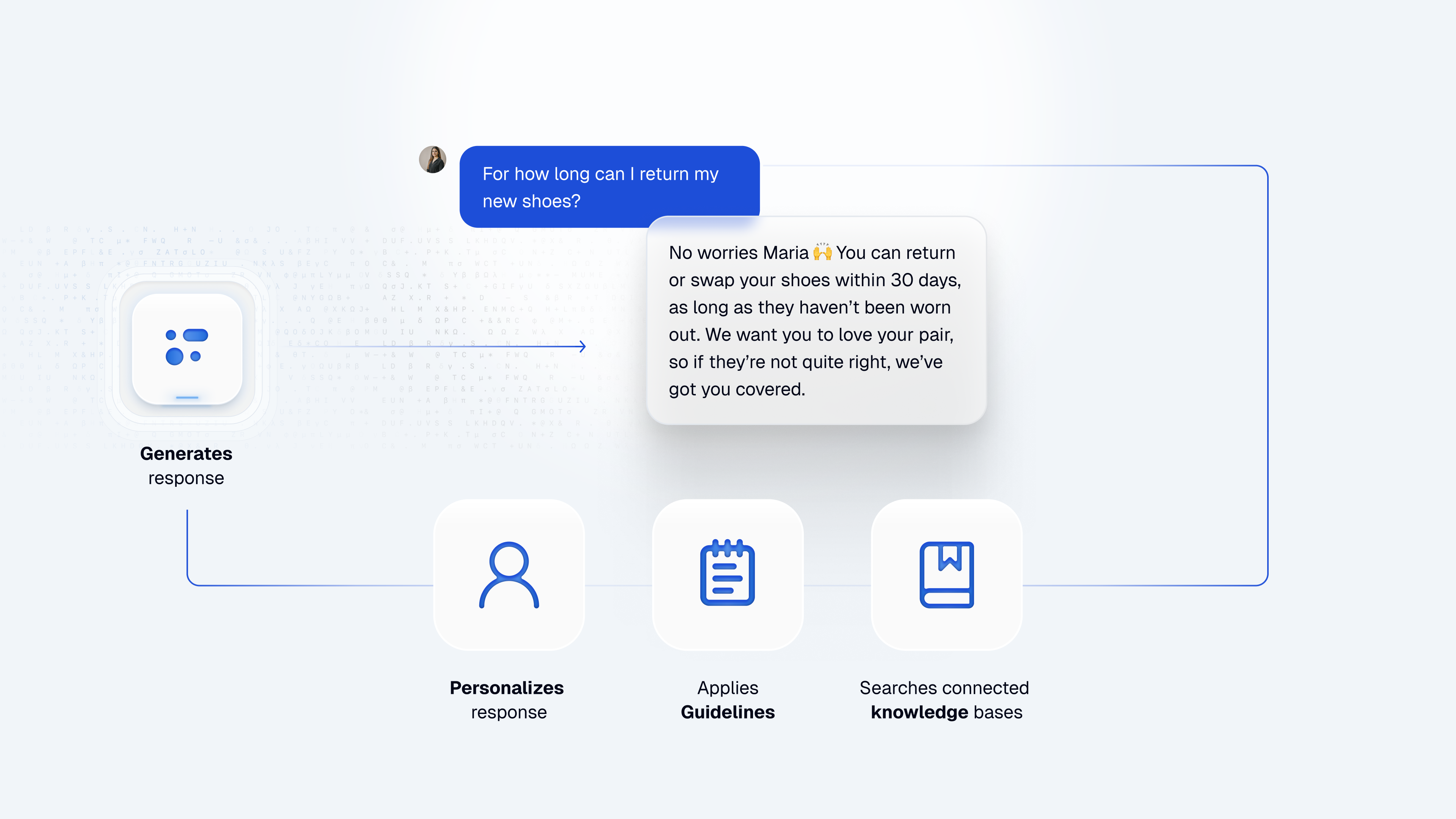
This knowledge-first approach means you can build powerful AI Agents by:
- Uploading your content (FAQs, documentation, product info)
- Writing clear guidelines
- Testing and refining
No coding or complex workflows required for most use cases.
When to use Dialogs (Advanced)
While knowledge and guidelines handle most conversational needs, Dialogs are available for specific automation requirements:
- API integrations - Connect to external services via webhooks
- Multi-step workflows - Guide users through complex processes
- Conditional logic - Create branching paths based on user input
- Task automation - Execute specific actions (send emails, update databases)
Dialogs are optional and complement the knowledge-based approach when you need deterministic, structured workflows.
AI Agent types
AI Agents can be of different types, each optimized for a specific use case with predefined guideline fields tailored to that purpose.
Complete the predefined guidelines to get the best out of your AI Agent.
Seller agents
These agent types share the same guideline fields: Goal, Overview, Features, Loyalty, Objections, and Custom instructions.
-
Early Engagement Build meaningful relationships with potential customers by understanding their needs and guiding them toward the right solutions. Engage customers early to answer questions and offer information before they commit.
-
Product Adoption Guide customers through a seamless onboarding experience that helps them start using the product effectively and confidently. Provide clear steps, celebrate milestones, and share best practices.
-
Upsell Help customers discover premium features and upgrades that enhance their experience. Focus on identifying moments when an upgrade could genuinely improve the user's results.
Specialized agents
These agent types have guideline fields optimized for their specific use case.
-
Customer Support Provide customer support, addressing inquiries, troubleshooting, and FAQs. Uses Objections and Custom instructions fields.
-
Debt Collection Help manage overdue payments with flexible options and professional communication. Uses Goal, Objections, and Custom instructions fields.
Next steps
- Knowledge agent quick start - Build your first AI agent in 10 minutes
- Knowledge & Guidelines - Configure what your agent knows and how it responds
- Setup - Fine-tune tone, response length, and reminders
- Dialogs - Create advanced workflows with conditional logic