Webhooks
Introduction
Webhooks let your AI Agent call your own backend during a conversation. Whenever a webhook fires, Moveo sends an HTTP POST to a URL you provide; your endpoint can read the conversation context, run business logic, and respond with new context variables or replies for the agent to deliver.
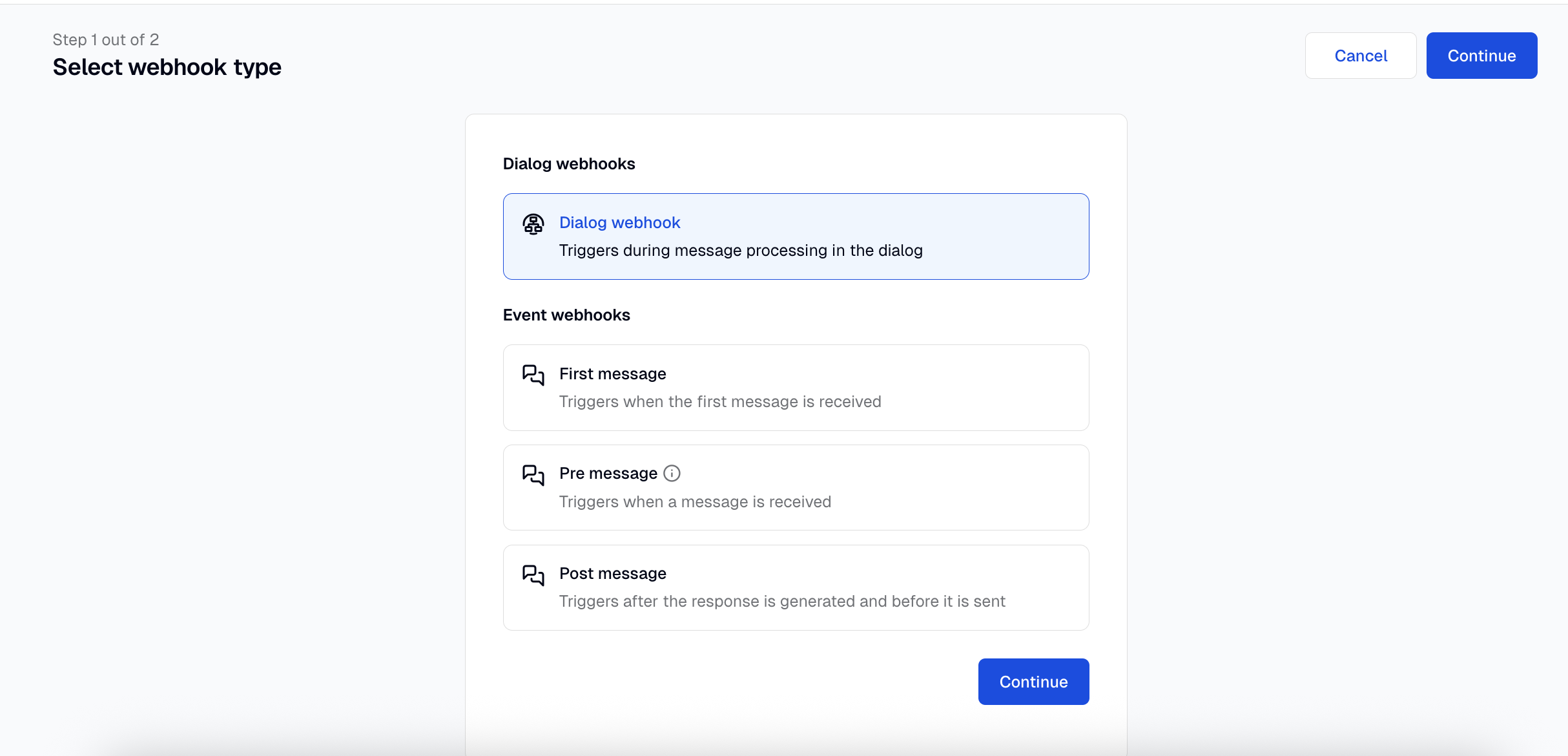
Moveo supports six webhook types, each firing at a different point in the conversation:
| Type | When it fires |
|---|---|
| Dialog | A dialog node hits a webhook action |
| First message | Once per session, on the user's first message to a given AI Agent |
| Pre message | Before every user message is processed |
| Post message | After the agent has generated its reply |
| Authentication validation | The Authentication Agent submits a candidate answer for a question whose Validate answer via is set to Webhook |
| Authentication pre-enter | Once, when entering the verification step — used to fetch ground-truth context |
The dialog and authentication types share the wizard UI but each authentication type has its own request / response contract — see Authentication webhooks for the body shapes, signature verification notes, and code samples.
A few rules:
- You can configure multiple dialog, authentication validation, and authentication pre-enter webhooks per AI Agent and reference each from any node or auth slot.
- You can configure at most one first message, one pre message, and one post message webhook per AI Agent.
- If a first message webhook is not configured, the pre message webhook (if any) is called for the first message instead.
This page covers configuring webhooks in the UI and the differences in their payloads. For implementation, code samples, and the full type reference, see Build a webhook.
Set up a webhook
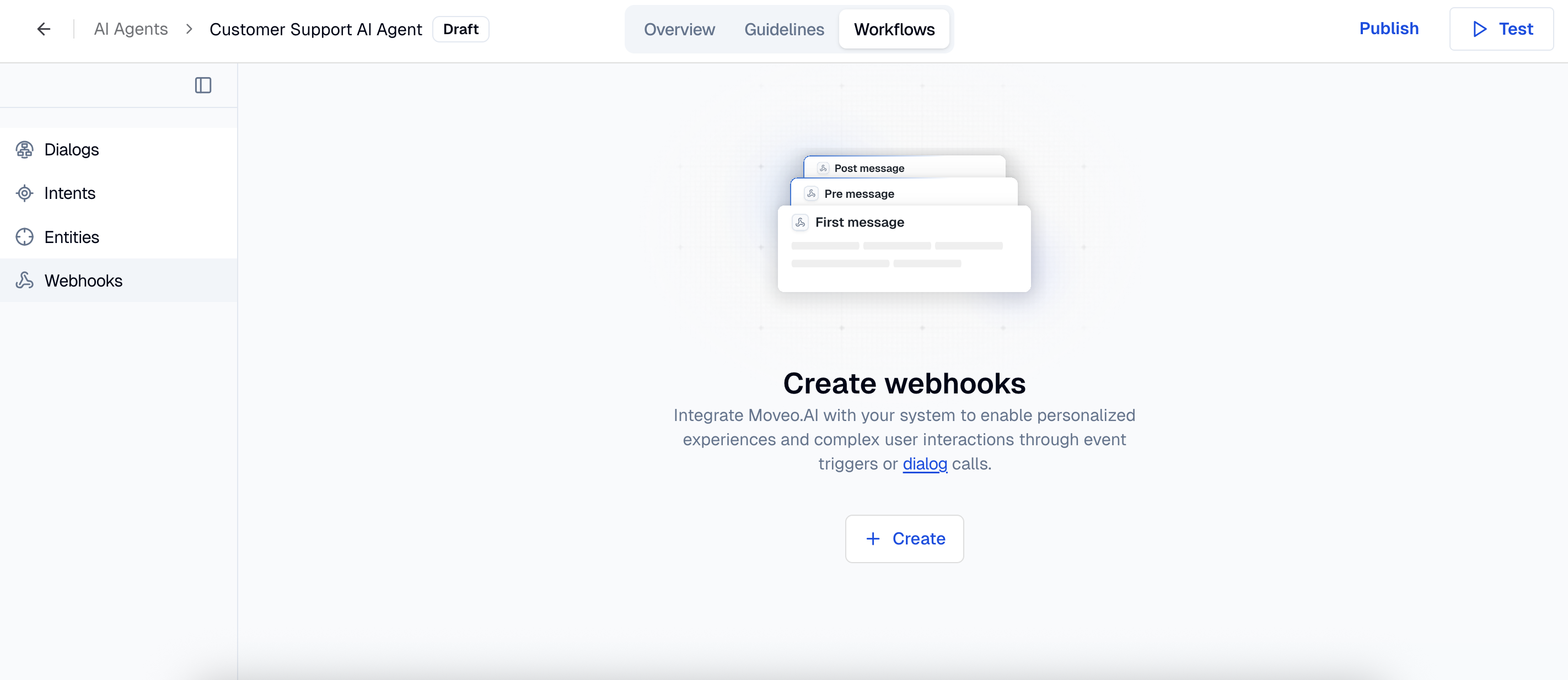
The setup is the same for all types. Navigate to your AI Agent → Workflows → Webhooks → Create, pick the type from the four groups (Dialog / Event / Campaign / Authentication), and fill in the form.
Required fields
| Field | Description |
|---|---|
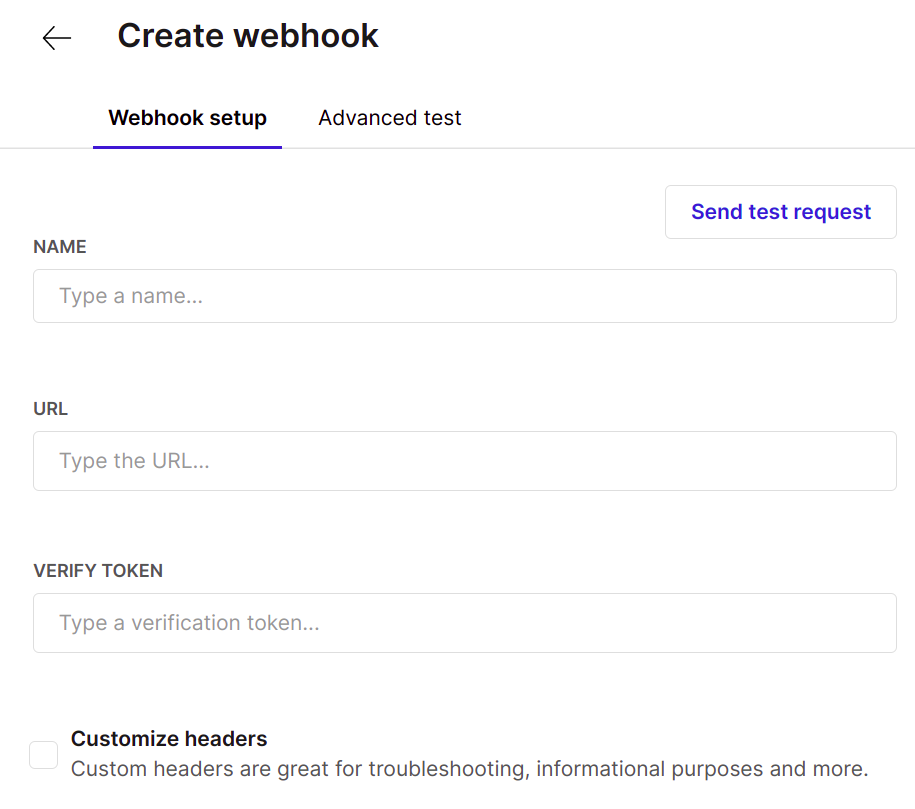
| Name | A label for the webhook. Must be unique within the AI Agent. |
| URL | The HTTPS endpoint Moveo will POST to. Non-HTTPS URLs and loopback or private addresses are rejected in production. |
| Verify Token | A secret you choose. Moveo signs every request with HMAC SHA256 using this token, so your endpoint can verify the call originated from Moveo. Treat it like a password. |
| Type | One of dialog, first message, pre message, post message, authentication validation, or authentication pre-enter. |
Custom headers
You can add up to 10 custom headers that Moveo will include on every call to your endpoint — for example, an API key your backend expects.
The following headers cannot be set as custom headers:
Host, Connection, Content-Length, Transfer-Encoding, Origin, Referer, Range, Max-Forwards, Upgrade, TE, Trailer, X-Forwarded-*, Proxy-*, Access-Control-*, Sec-WebSocket-*.
There is one Moveo specific custom header you can opt into:
| Header | Effect |
|---|---|
X-Moveo-Include-History: true | Adds the conversation history to the webhook payload under a history field. |
Authenticating webhook calls
Anyone who knows your URL could send a POST to it. Authentication ensures your endpoint only acts on requests that genuinely came from Moveo.
Moveo signs every request with HMAC SHA256 of the JSON body, using the verification token as the key. The signature is sent in the X-Moveo-Signature header. Your endpoint should recompute the signature and reject the request if it does not match. Code samples for verifying the signature are in Build a webhook → Verify the signature.
If you cannot use HMAC and need to allow list IPs at your network edge instead, Moveo's webhook calls originate from your account region's outbound IP addresses — see Outbound IP addresses for the full list per region. IP allow lists are a fallback, not a replacement, because Moveo's egress IPs may change.
Other options
| Option | Default | Description |
|---|---|---|
| Enabled | On | Disable to stop the webhook from firing without deleting it. |
| Fail on error | Off | If on, a non-2xx response or timeout interrupts the conversation. If off, the agent continues with whatever context it has. |
Payload differences per type
All six types share a common envelope and add type-specific fields on top. The fields below describe what your endpoint receives in the request body. Full TypeScript types are in Build a webhook → Type reference.
Common envelope
| Field | Type | Description |
|---|---|---|
channel | string | Channel name (web, whatsapp, viber, etc.) |
channel_type | string | Channel category (e.g. messaging, voice) |
session_id | string | Conversation session identifier |
desk_id | string | Environment identifier |
integration_id | string | Integration the conversation is happening on |
brain_id | string | AI Agent identifier |
lang | string | Conversation language code |
context | object | All context variables collected so far, including sys-* system variables and the user object |
timestamp | integer | Unix epoch in milliseconds |
history | array | Optional. Included only when X-Moveo-Include-History: true is set as a custom header |
The request id is not part of the body. It is sent as the X-Moveo-Request-Id header, alongside the other request headers.
Dialog webhook
Fires when a dialog node executes a webhook action. Adds:
| Field | Type | Description |
|---|---|---|
input | object | The user input that triggered the node, with text |
intents | array | Recognized intents, sorted by confidence |
entities | array | Entities extracted from the input |
debug.dialog_stack | array | The path of dialog nodes leading to this action |
user_message_counter | integer | How many user messages have been processed in the session |
The endpoint can return both context updates and a responses array (text, media, carousel, webview, etc.) that the agent delivers to the user.
First message and pre message webhooks
Fire before the agent processes the user's input. Pre message fires every turn; first message fires only on the first message of a session for a given AI Agent. Adds:
| Field | Type | Description |
|---|---|---|
input | object | The incoming user input, with text and attachments |
business_closed | boolean | true if the conversation is happening outside business hours |
The endpoint can return a context update and an input object. Use input.text to rewrite the user message before the agent sees it, or input.trigger_node_id to route straight to a specific dialog node (bypassing intent classification). It cannot reply on the agent's behalf.
{
  "channel": "web",
  "session_id": "8563dcdf-64ef-4de2-a5ca-b96e0557e4e8",
  "desk_id": "d3d08940-f0ef-42e0-993c-1bea065dcqwe",
  "integration_id": "",
  "brain_id": "d3d08940-f0ef-42e0-993c-1bea065dcqwe",
  "lang": "en",
  "context": {
    "user": {
      "user_id": "test-O44vJC-TuXiJXh8hkXvlZ",
      "display_name": "Visitor 2020",
      "verified": false
    },
    "sys-channel": "web",
    "sys-business": "open",
    "sys-user_message_counter": 1
  },
  "timestamp": 1761045302529,
  "input": {
    "text": "hi",
    "attachments": []
  },
  "business_closed": false
}
Post message webhook
Fires after the agent has generated its reply, before the reply is delivered to the user. Skipped if the interaction was interrupted mid flight. Adds:
| Field | Type | Description |
|---|---|---|
input | object | The user input that started this turn |
intents | array | Intents recognized for this turn |
entities | array | Entities recognized for this turn |
output | array | The agent's planned reply, as an array of action objects. The set is broader than the responses your endpoint can return — see agent actions. |
debug.dialog_stack | array | Path of dialog nodes traversed |
user_message_counter | integer | Total user messages in the session |
The endpoint can return a context update and, optionally, a responses array. If responses is present, it replaces the agent's planned reply and is delivered as-is — no templating or context-variable substitution is applied.
Test your webhook
Each webhook in the UI has a built in tester that sends a real request to your endpoint.
Simple test
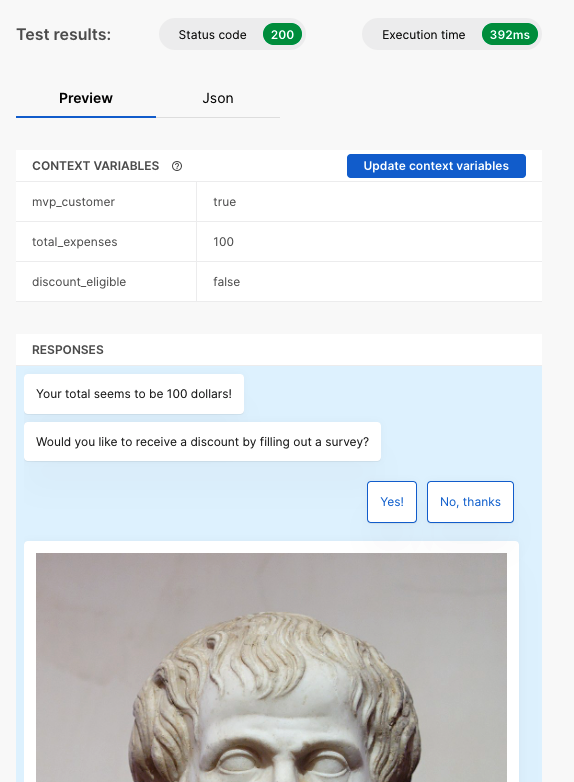
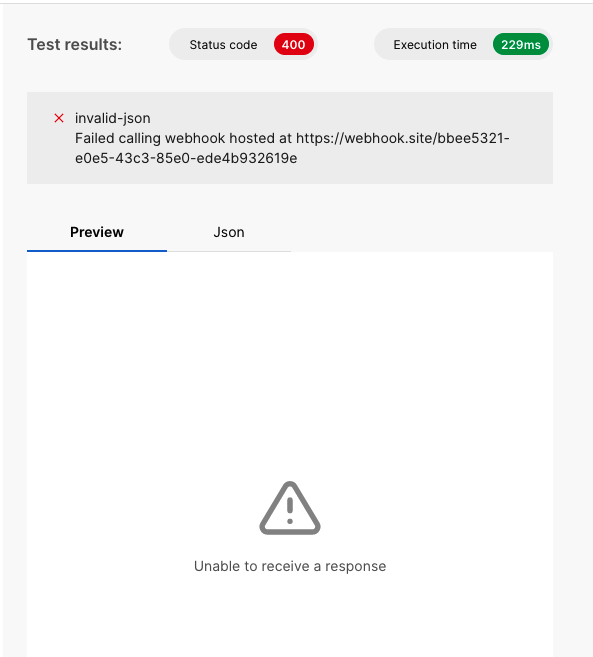
Click Send test request to fire a default payload. The right hand panel shows the HTTP status code, execution time, and response body.
- Success
- Error
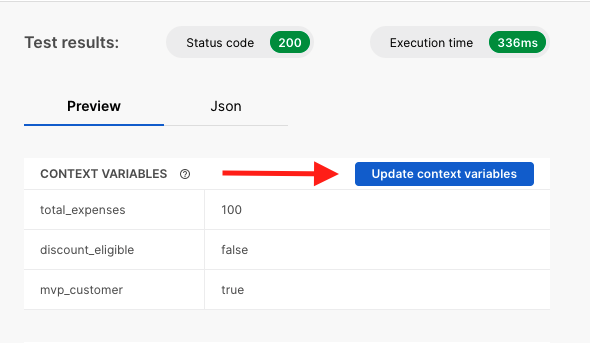
Update context variables from the test
When your endpoint returns context fields, you can click Update context variables to register them as known variables in the AI Agent. Once registered, they appear in the auto complete inside dialog nodes and other webhooks.
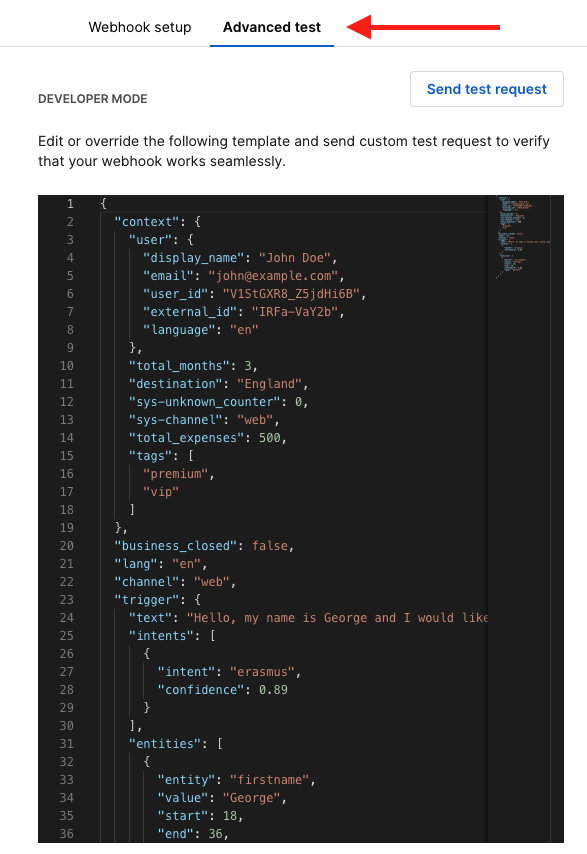
Advanced test
The Payload customization view (the code icon tab) lets you edit the request payload before sending — useful for reproducing a specific session's context or trying edge cases.
Use case examples
The following are the patterns customers use most often. Each one points to a worked implementation in Build a webhook.
-
Live instructions on session start. Use a first message or pre message webhook to fetch user data from your CRM and inject it into the conversation as the
live_instructionscontext variable. The agent reads it on every turn and personalizes its replies. Worked example: Live instructions. -
Validate user input mid conversation. Drop a dialog webhook action into a workflow node to check something the user said against your backend before the conversation continues. Update context with the result and branch on it downstream. Worked example: Validate input.
-
Audit or override the agent's reply. Use a post message webhook to inspect the agent's planned reply and either log it or replace it. Useful for compliance review and trailing analytics. Worked example: Post message audit and override.