Web channel configuration
Configuration overview
The web channel offers extensive customization options to match your brand and user experience requirements. You can configure these settings through the Moveo platform UI or override them programmatically during initialization.
Launcher appearance
Customize how the chat launcher button appears on your website.
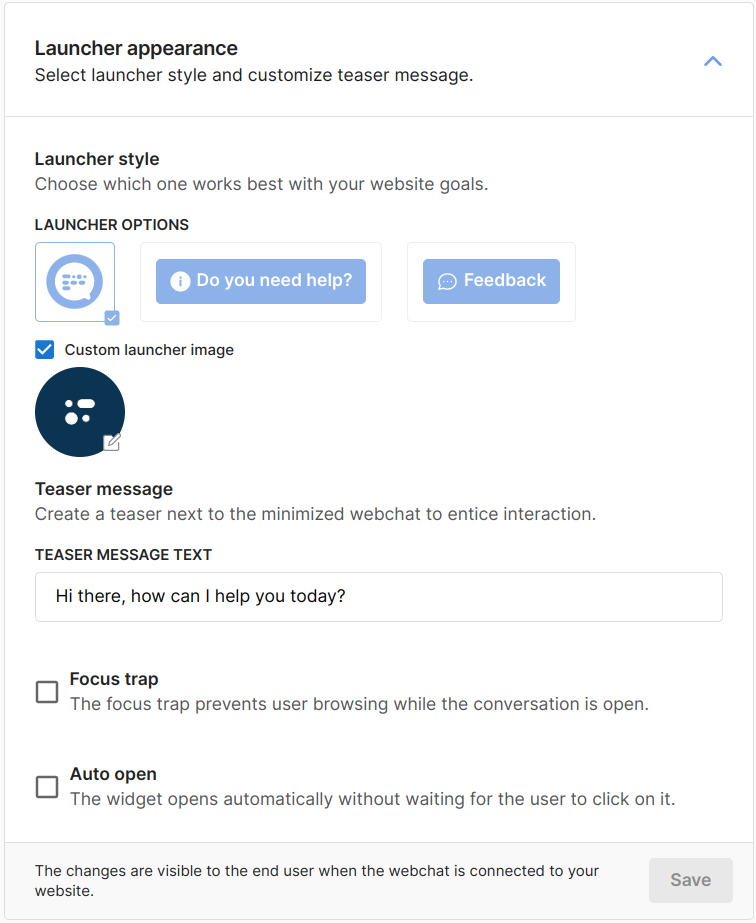
Launcher styles
Choose between different launcher styles:
- Circle (default): Circular button with icon
- Box: Rectangular button with text
Teaser message
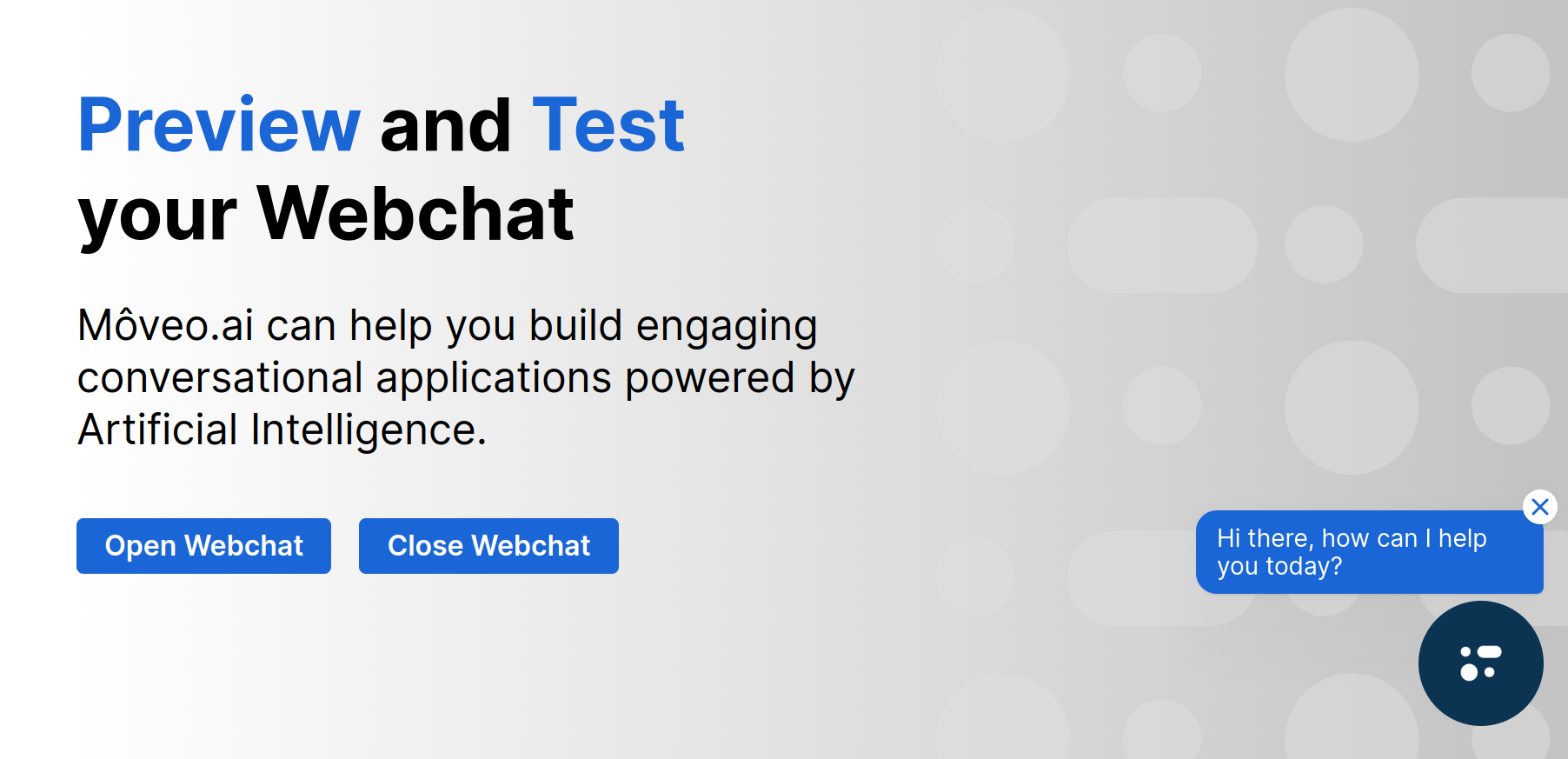
Add a teaser message next to the launcher to encourage interaction.
- Configuration
- Result
Additional options
- Focus trap: Prevent users from browsing while conversing
- Auto open: Automatically open the widget when page loads
Chat window appearance
Customize the visual design of the chat window.
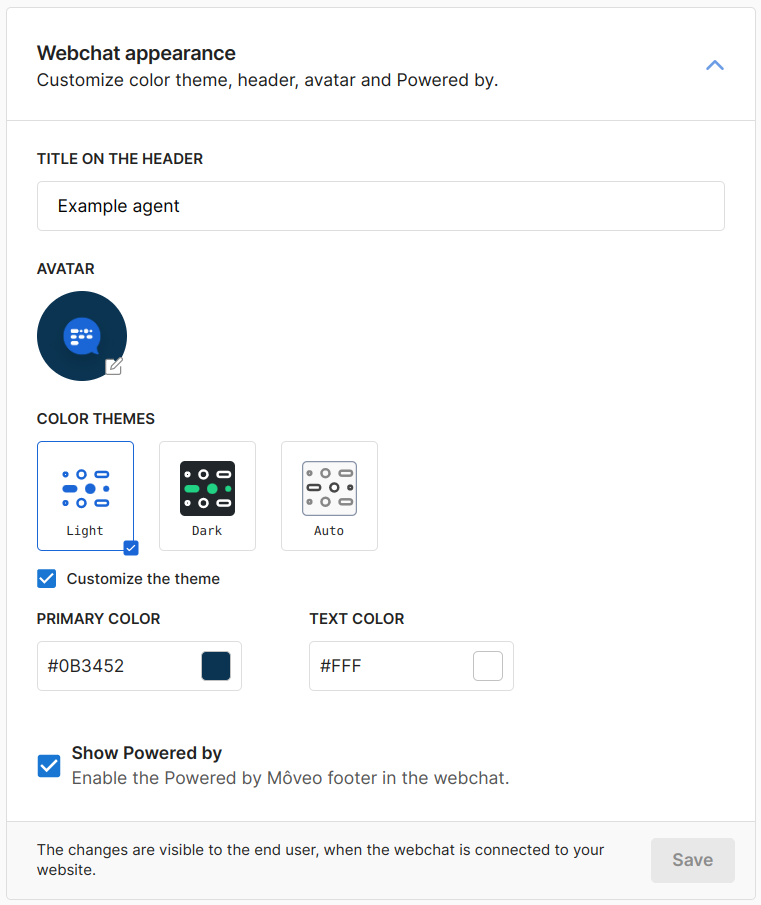
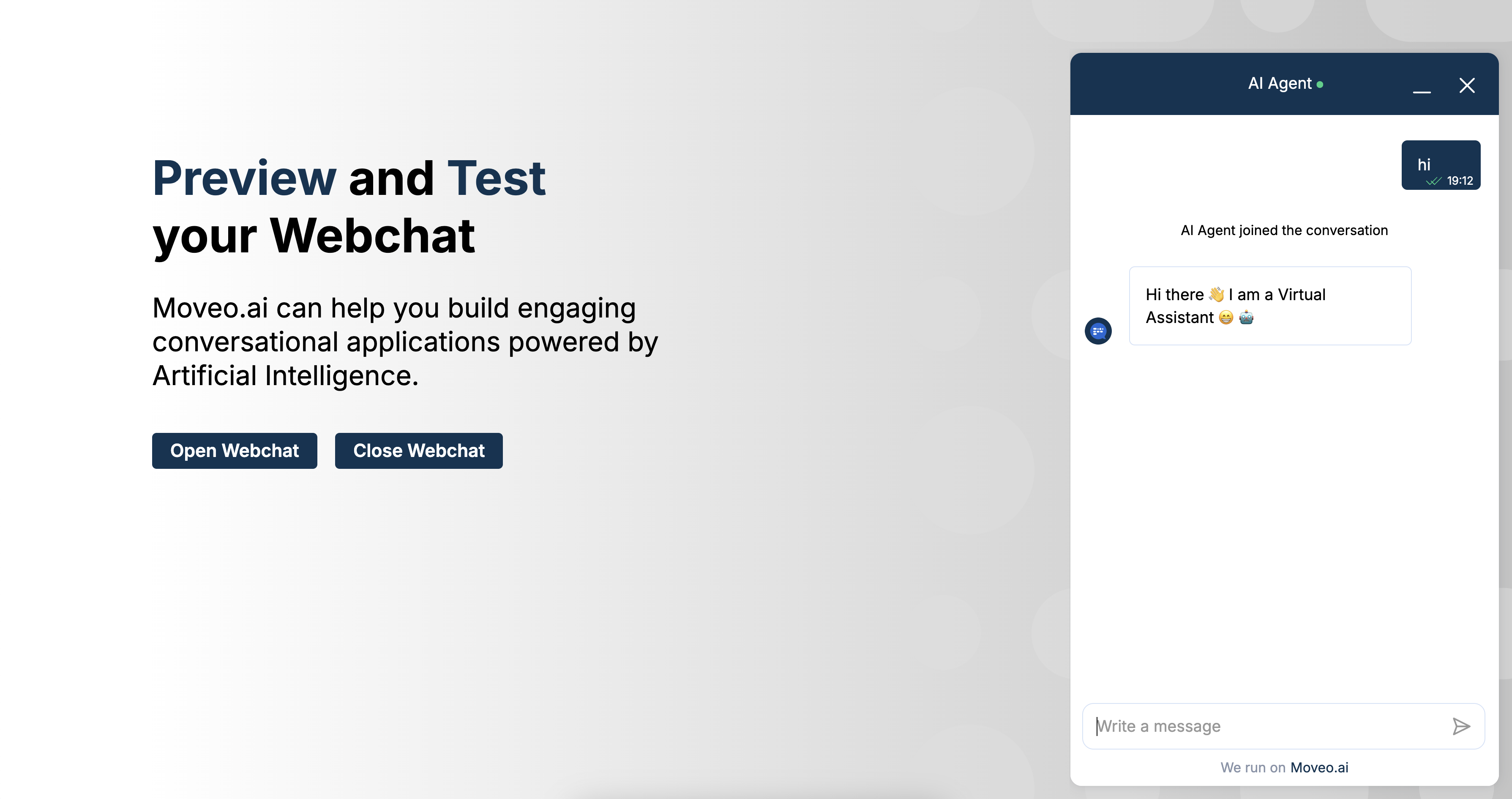
Theme customization
| Element | Default | Description |
|---|---|---|
| Primary color | #1B66D6 | Main brand color |
| Text color | #FFFFFF | Text on primary color |
| Header title | AI agent | Chat window header text |
| Avatar | Default bot icon | AI Agent profile image |
- Configuration
- Result
Start behavior
Configure how conversations begin when users open the chat.
Available options
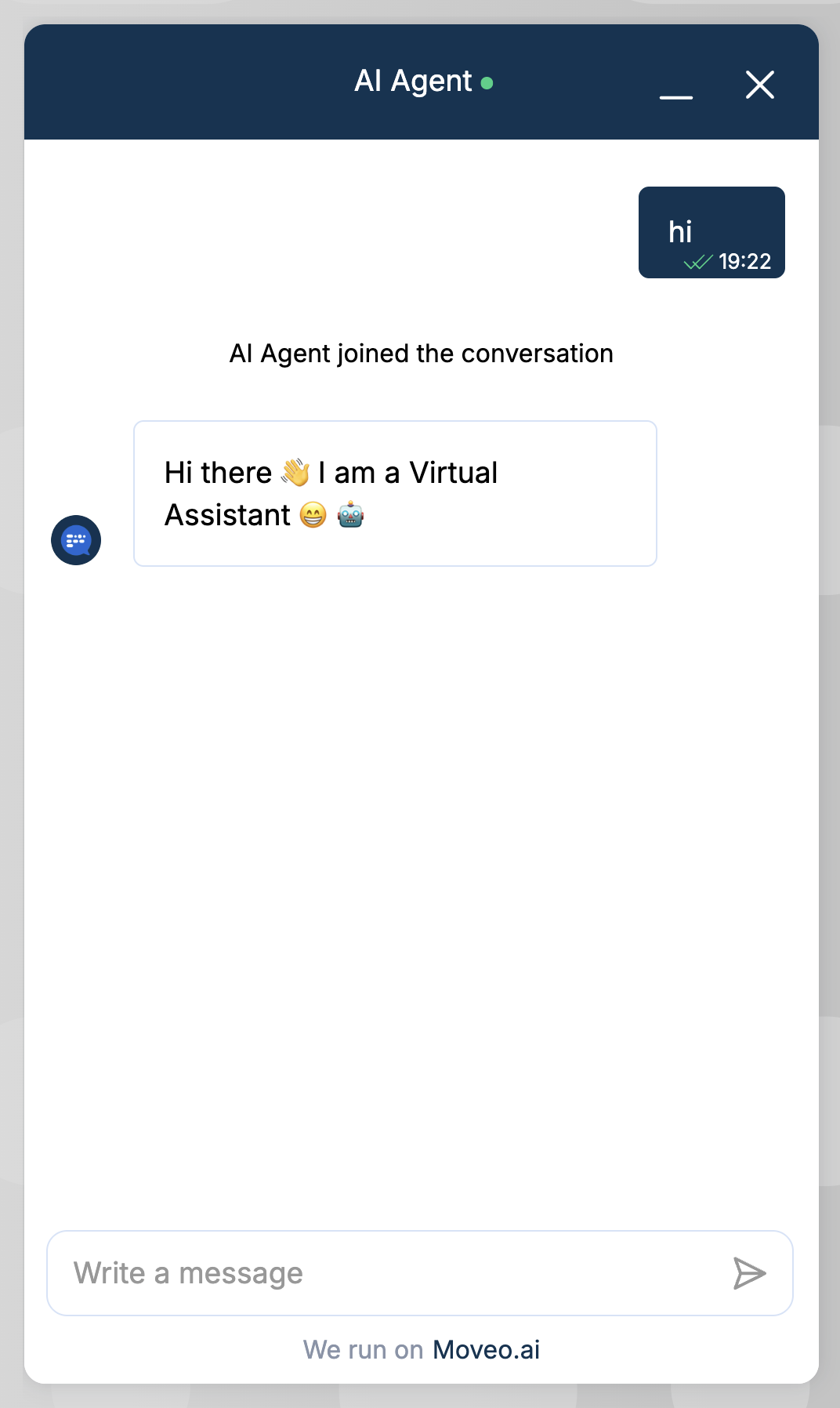
- User input: User must type first message
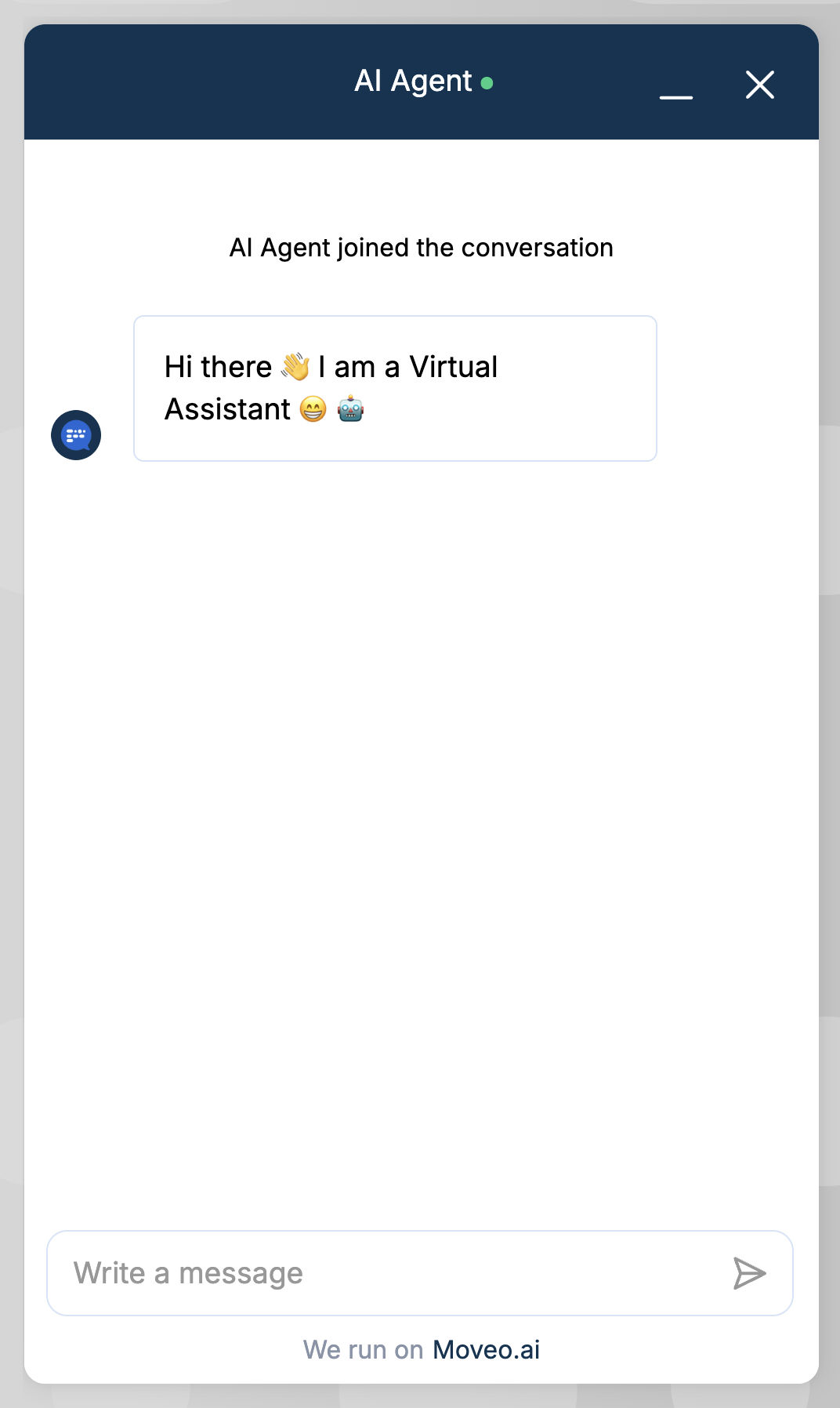
- Autostart: AI sends welcome message automatically
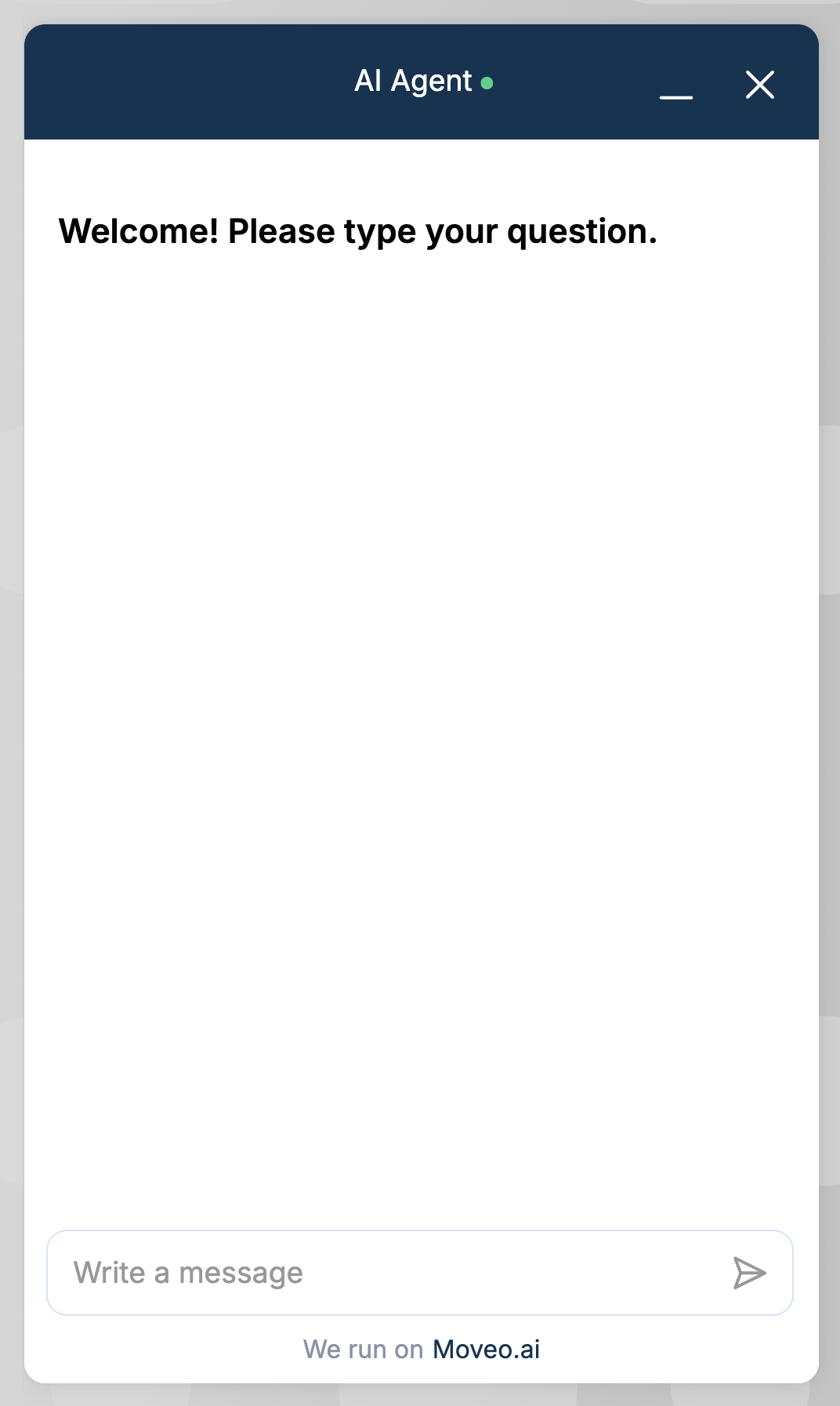
- Welcome screen: Display options and FAQs
- User input
- Autostart
- Welcome screen
Positioning
Control where and how the web channel appears on your page.
Position options
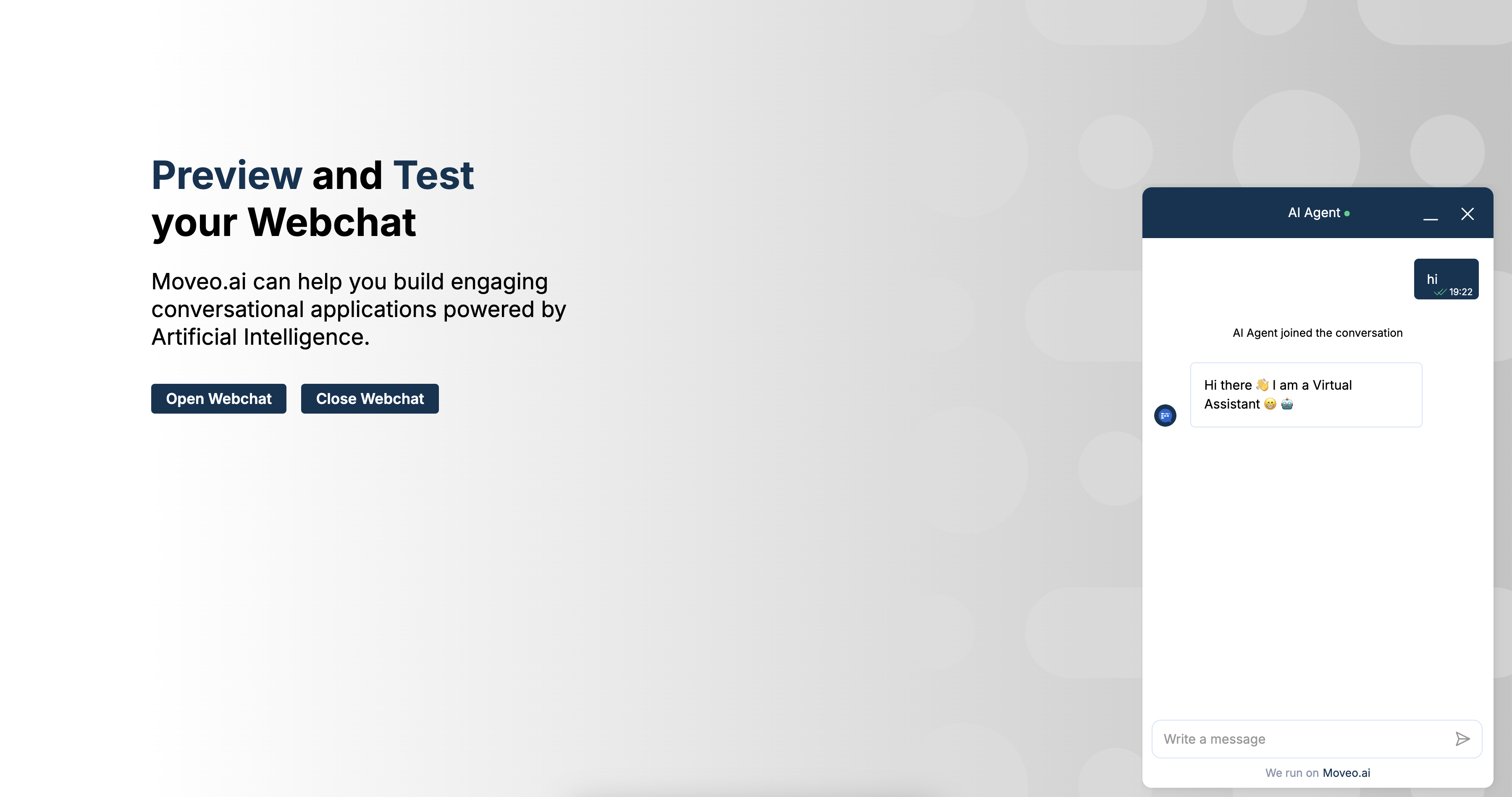
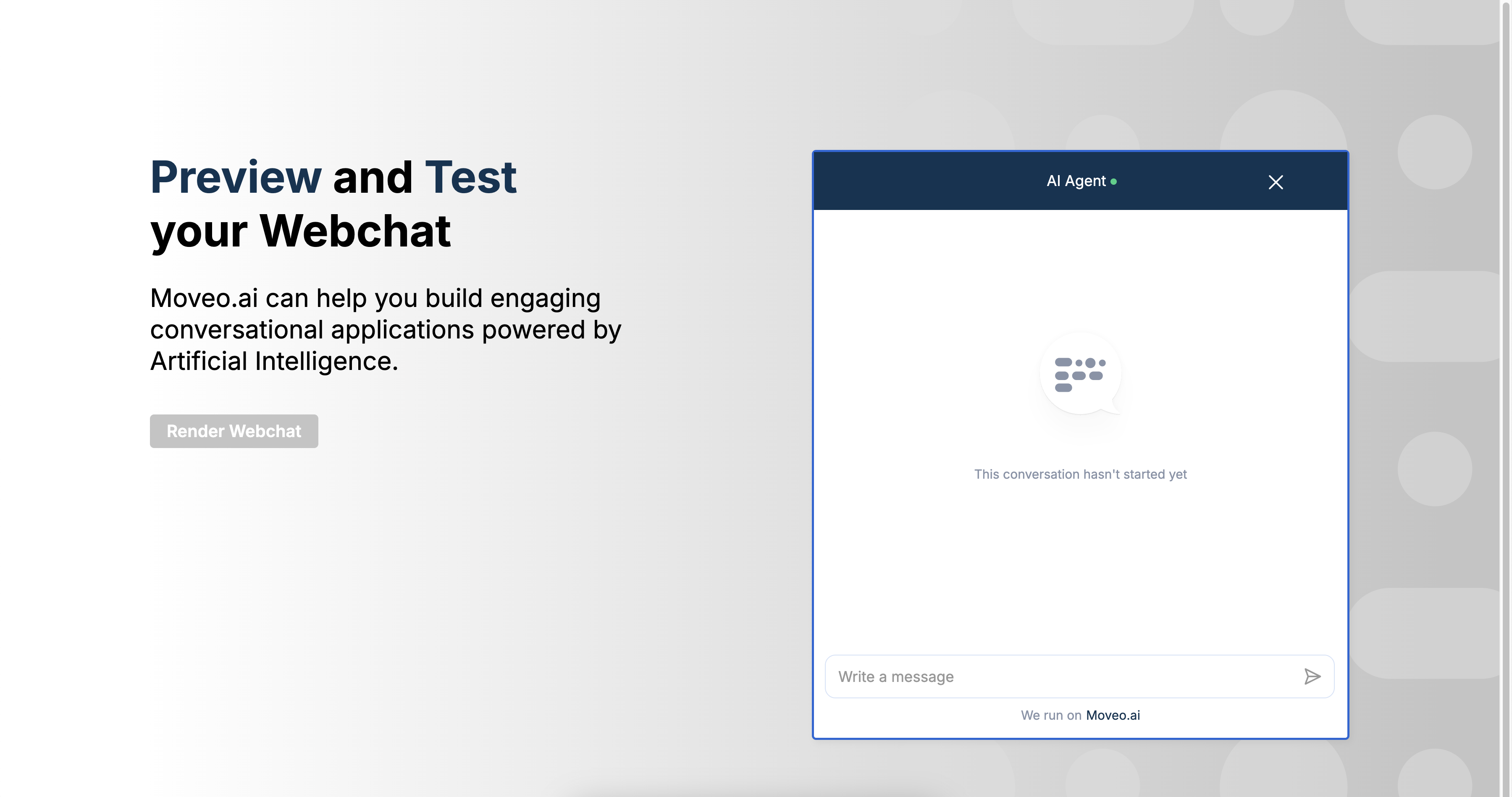
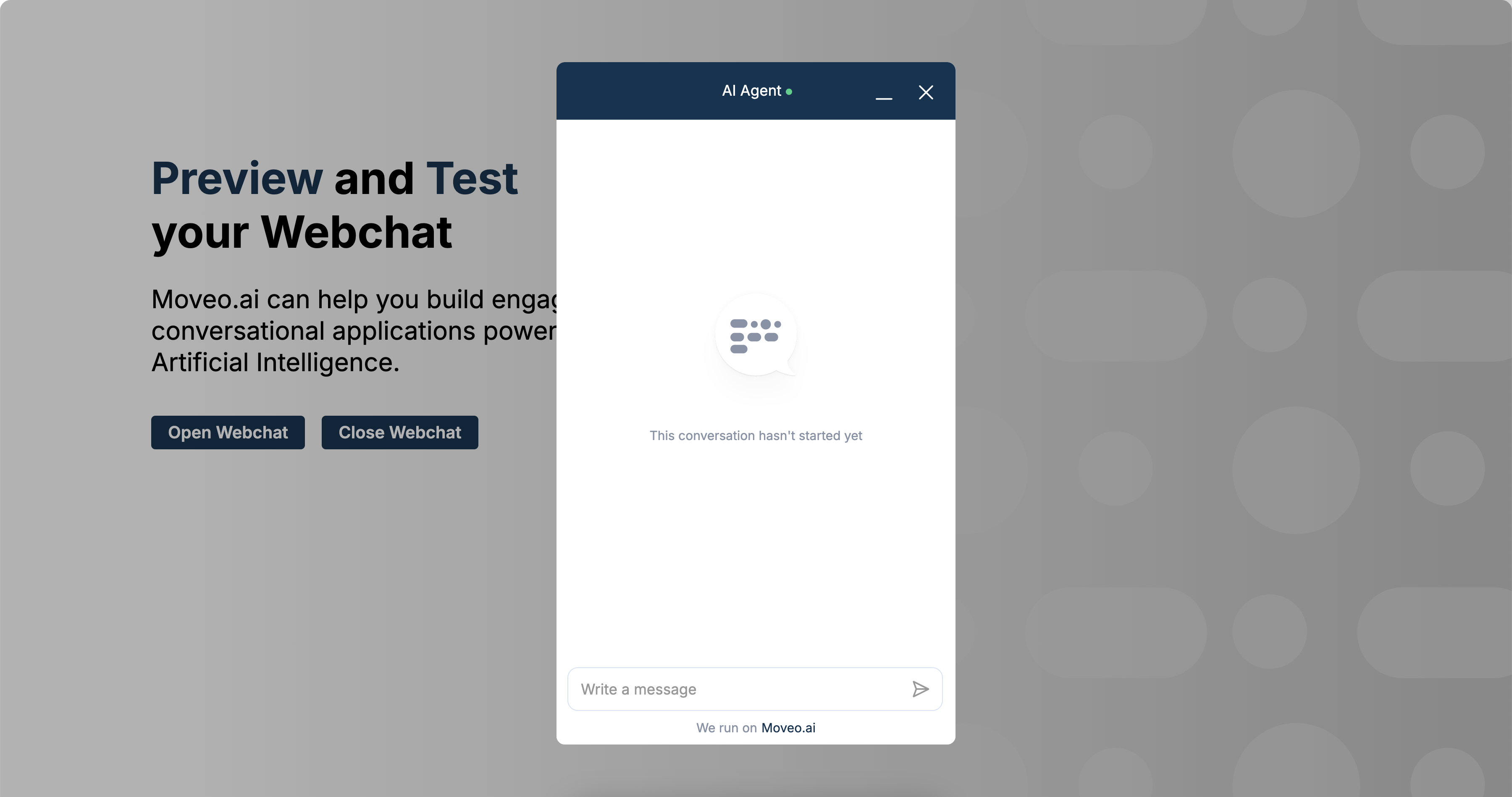
- Livechat (default): Bottom-right floating widget
- Embed: Renders within page content
- Pop-up: Center of screen modal
- Livechat
- Embed
- Pop-up
Widget alignment
For livechat mode, use the widget_alignment option to control which corner of the screen the launcher and chat window appear in.
| Value | Description |
|---|---|
bottom-right | Bottom-right corner (default) |
bottom-left | Bottom-left corner |
top-right | Top-right corner, chat opens downward |
top-left | Top-left corner, chat opens downward |
right | Legacy alias for bottom-right |
left | Legacy alias for bottom-left |
MoveoAI.init({
  integrationId: "YOUR-INTEGRATION-ID",
  widget_alignment: "top-left",
});
Custom positioning
For fine-grained control beyond widget_alignment, you can override positioning with CSS:
/* Custom offset from bottom */
.web-client-container {
  bottom: 100px;
}
Use widget_alignment to position the launcher in a corner. Reserve CSS overrides for
fine-tuning offsets. When positioning the launcher on the left, consider removing the teaser message
for better visual balance.
Visitor information collection
Gather user information before or during the conversation.
Pre-chat form fields
Enable collection of user data before chat starts:
| Field | Variable | Description |
|---|---|---|
user.email | User's email address | |
| Name | user.display_name | Display name |
| Phone | user.phone | Phone number |
| Address | user.address | Physical address |
| Language | user.language | Preferred language |
| Location | user.location.latitude/longitude | GPS coordinates |
Additional options
- Data policy disclaimer: Require acceptance of terms
- Location permission: Request browser location access
- Required fields: Make specific fields mandatory
Advanced settings
File upload
Enable users to share files in the conversation:
- Maximum file size: 50 MB
- Maximum files per message: 4
- Supported formats: Images, videos, PDFs, documents
Conversation history
Maintain chat history across page refreshes and navigation:
- Conversations persist for returning users
- History cleared after session timeout (1 hour default)
Satisfaction survey
Collect feedback after conversations:
- Star ratings or thumbs up/down
- Optional comment field
- Triggered on conversation end
Language settings
Override browser language detection:
- Set default language for all users
- Available languages include English, Spanish, French, German, and more
Programmatic configuration
Override any setting during initialization:
MoveoAI.init({
  integrationId: "YOUR-INTEGRATION-ID",
  version: "v2",

  // Appearance
  accent_color: "#FF5733",
  background_color: "#2C3E50",
  header_title: "Support Chat",
  download_conversation: true,
  avatar: "https://example.com/avatar.png",
  bubble_image: "https://example.com/launcher.png",
  font_family: "Roboto Mono",

  // Behavior
  auto_open: true,
  focus_trap: false,
  welcome_message: "How can I help?",
  welcome_trigger_message: "Hello!",
  virtual_agent_name: "Alex",

  // Window settings
  chatWindow: {
    width: "400px",
    height: "600px",
  },

  // Positioning
  widget_alignment: "bottom-right", // "bottom-right" | "bottom-left" | "top-right" | "top-left"

  // Launcher settings
  launcher: {
    size: "60px",
    show: true, // Set false to hide launcher
  },
  show_close_icon: true, // Show/hide launcher close icon

  // Language
  language: "en",


  // Accessibility
  webchat_aria_label: "Chat with support",
  enableAccessibilityWidget: true,
})
  .then((instance) => {
    console.log("Chat configured and connected");
  })
  .catch((error) => console.error(error));
CSS customization
Use the setCSSVariables() method for advanced runtime styling. This enables per-customer theming without code changes.
instance.setCSSVariables({
  "--moveo-header-text-color": "#10038C",
  "--color-options-background": "#CCF3FD",
});
Available CSS variables
General
| Variable | Description |
|---|---|
--color-chat-background | Chat container background |
Launcher
| Variable | Description |
|---|---|
--color-launcher-background | Launcher button background |
--color-launcher-foreground | Launcher button icon color |
--color-opening-message-background | Teaser message background |
--color-opening-message-foreground | Teaser message text color |
Header
| Variable | Description |
|---|---|
--moveo-header-background | Header background color |
--moveo-header-text-color | Header text and icon color |
Messages
| Variable | Description |
|---|---|
--font-size-brain-message | AI message text size (small, medium, or large) |
Quick replies (Options)
| Variable | Description |
|---|---|
--color-options-background | Quick reply button background |
--color-options-foreground | Quick reply button text |
--color-options-border | Quick reply button border |
System messages (Swimmlanes)
| Variable | Description |
|---|---|
--color-swimmlane-background | System message background |
--color-swimmlane-foreground | System message text |
Carousel cards
| Variable | Description |
|---|---|
--color-carousel-card-background | Carousel card background |
--color-carousel-card-foreground | Carousel card text |
--color-carousel-card-border | Carousel card border |
Example: Complete branded theme
instance.setCSSVariables({
  // Header
  "--moveo-header-text-color": "#10038C",

  // Quick replies
  "--color-options-background": "#CCF3FD",
  "--color-options-foreground": "#10038C",
  "--color-options-border": "#CCF3FD",

  // System messages
  "--color-swimmlane-background": "#F2EBE7",
  "--color-swimmlane-foreground": "#1E222D",
});
Language and localization
Default language hierarchy
Language selection follows this priority:
- User selection in visitor form
- Configuration default
- Browser language
- English fallback
Available languages
| Code | Language |
|---|---|
de | 🇩🇪 German |
el | 🇬🇷 Greek |
en | 🇺🇸 English |
es | 🇪🇸 Spanish |
fr | 🇫🇷 French |
it | 🇮🇹 Italian |
pt-br | 🇧🇷 Portuguese (Brazil) |
nl | 🇳🇱 Dutch |
zh | 🇨🇳 Chinese |
ar | 🇸🇦 Arabic |
ja | 🇯🇵 Japanese |
tr | 🇹🇷 Turkish |
Dynamic language switching
Change language programmatically:
instance.setLocale("es"); // Switch to Spanish
Configuration best practices
- Brand consistency: Match your website's colors and fonts
- Mobile optimization: Test positioning on different screen sizes
- Performance: Load custom assets from CDN
- Accessibility: Provide ARIA labels and high contrast options
- User privacy: Only collect necessary information
- Testing: Preview changes before going live
Trusted domains
Secure your integration by specifying allowed domains:
- Add all production domains
- Include staging/test environments
- Wildcards such as
*.example.comare not supported, so add each subdomain - Blocks unauthorized usage