Context bundles
Context bundles automatically import variables into the conversation. Access the context bundles menu by selecting an environment.
Uses of context bundles
Context bundles can be very useful in various scenarios, including but not limited to:
- Different variable values for different languages
- Webhook variables that can be edited at any time without intervening with code
- Different information within the same AI Agent, depending on the environment
Add a context bundle
To add a context bundle, go to your environment → Context bundles → + Add context bundle. Enter a name and (optionally) a description. After you create the bundle, add all variable keys and values and save.
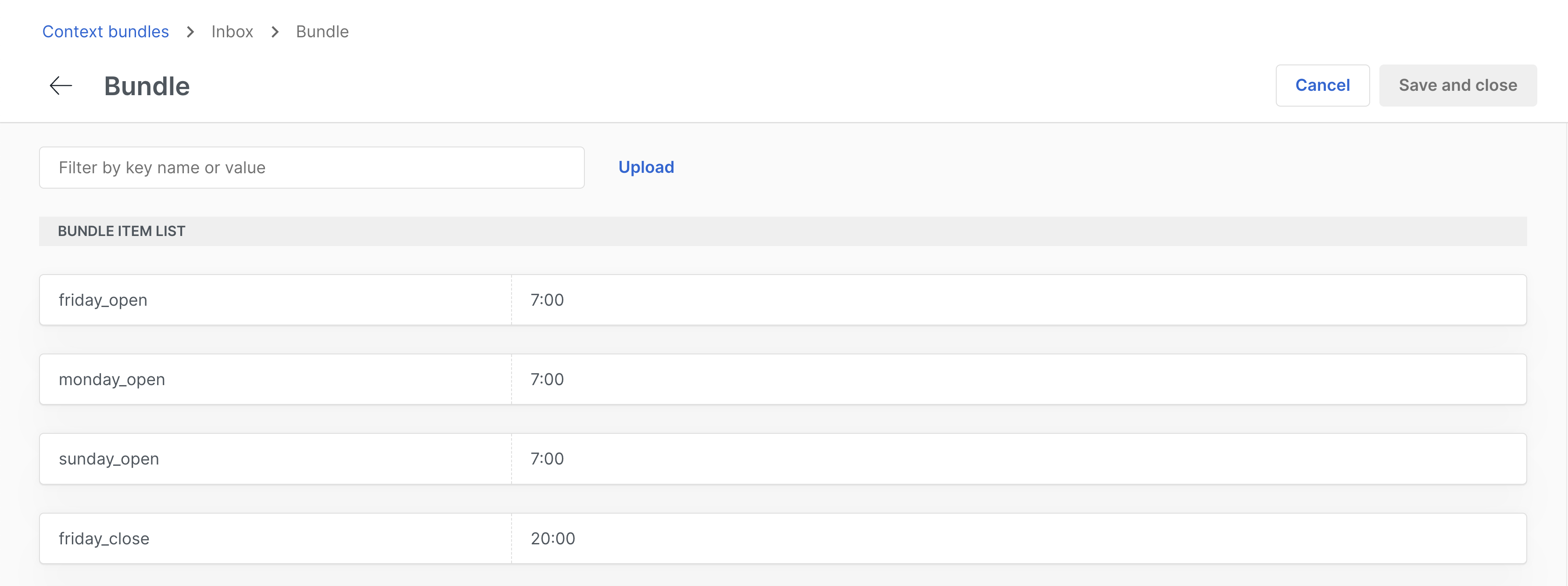
Upload a context bundle
Upload your context bundle from a JSON file. Two methods are available:
Import a new bundle
Similar to importing an AI Agent, you can import your context bundle. Select a name, a description, and your JSON file to import your context bundle as new.
Merge bundle
Upload your bundle into an existing one to merge all variables. In case of conflicts, either keep the original variable values or replace them with the new ones.
Use a context bundle
Once you have created a context bundle, you can use it in your Agent as context variables. To do this, you first need to apply the context bundle to the conversation using a rule, and then you can use the variables in a dialog.
Apply a context bundle
- Navigate to Deploy → Rules.
- Click on + Create.
- Select the conditions you want to apply the context bundle to.
- In the Then section, select Apply bundle.
- Choose the context bundle you want to apply.
- Depending on your conditions, you may want to assign an AI Agent too.
- Activate the rule.
- Save changes.
Use the variables
In a dialog, you can use the variables from the context bundle by using the
{{$global.bundle.variable_name}} syntax. For example, if you have a variable name in your
context bundle, you can use it in a dialog like {{$global.bundle.name}}. If you use the variable
before applying the context bundle, it will show as %UNKNOWN in the conversation, just like any
other variable.
Every bundle has a preset property bundle with its name, so you can use it in your dialog as
{{$global.bundle.bundle}}. This can be useful to differentiate between different bundles in the
same dialog using conditions.