URL response
Respond with a URL instead of text. This opens the link directly in the user's browser or messaging app.
Why use URL responses
Use a URL response rather than adding a URL inside a text response. This approach:
- Prevents encoding errors with special characters
- Handles context variables in query parameters correctly
- Provides a cleaner user experience on messaging platforms
- Allows tracking and analytics on link clicks
How to add a URL response
- Open your dialog in the editor
- Add a new response node
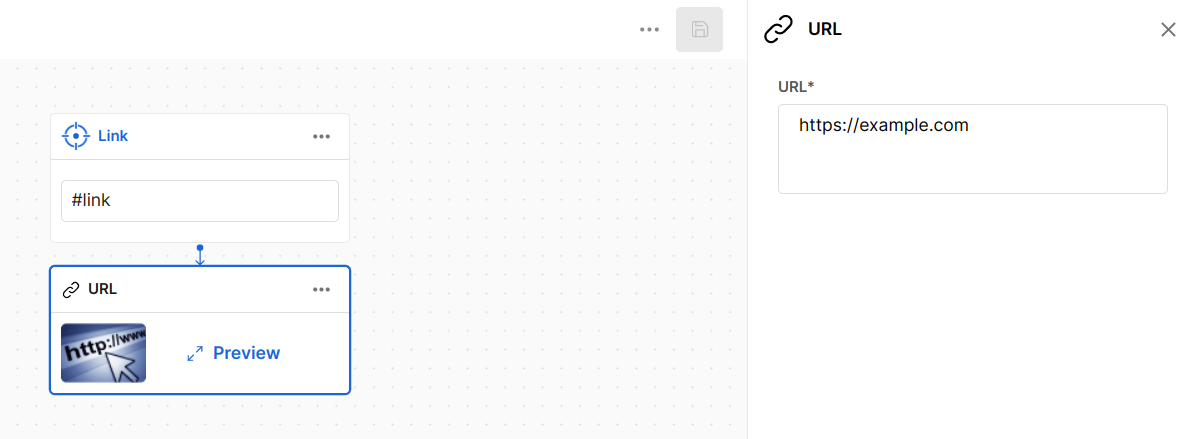
- Select URL as the response type
- Enter your URL in the input field
Using context variables
Include context variables in your URL to create dynamic links:
https://example.com/order?id={{$order_id}}&user={{$user.email}}
The system replaces variables with their values before sending the URL to the user.
Common use cases
| Use case | Example URL |
|---|---|
| Order tracking | https://store.com/track?order={{$order_id}} |
| Password reset | https://app.com/reset?token={{$reset_token}} |
| Documentation | https://docs.example.com/{{$topic}} |
| External forms | https://forms.example.com?prefill={{$user.email}} |
Next steps
- Text responses - Standard text messages
- Image responses - Send images to users
- Context variables - Learn about using variables in responses