The Instagram integration lets your AI agent handle customer conversations through Instagram Direct Messages.
How it works
When you connect your Instagram account to Moveo:
- Users send messages to your Instagram business profile
- Moveo receives messages via the Meta (Facebook) API
- Your AI agent processes the message and generates a response
- The response appears in the user's Instagram Direct Messages
This integration uses Meta's Messenger Platform, which is why you need a Facebook Page linked to your Instagram account.
Connect your Page
Before you begin
- Make sure that you have an Instagram professional account.
- You need to have a Facebook Page linked with your Instagram account.
- Make sure that you have Admin access in the Facebook Page that your Instagram account connects to.
- Select an environment in which you wish to connect your Instagram account.
Depending on whether you have connected Facebook or Instagram to Moveo before, follow the corresponding guides outlined below:
First time connecting an Instagram account
Follow the steps outlined below:
- Click Connect to redirect to the Meta Dialog Window.
- In the Meta Dialog Window, select only one Instagram account and its connected Facebook Page and grant all permissions to Moveo.
- Select one Instagram account
- Select the linked Facebook Page
- Grant all permissions
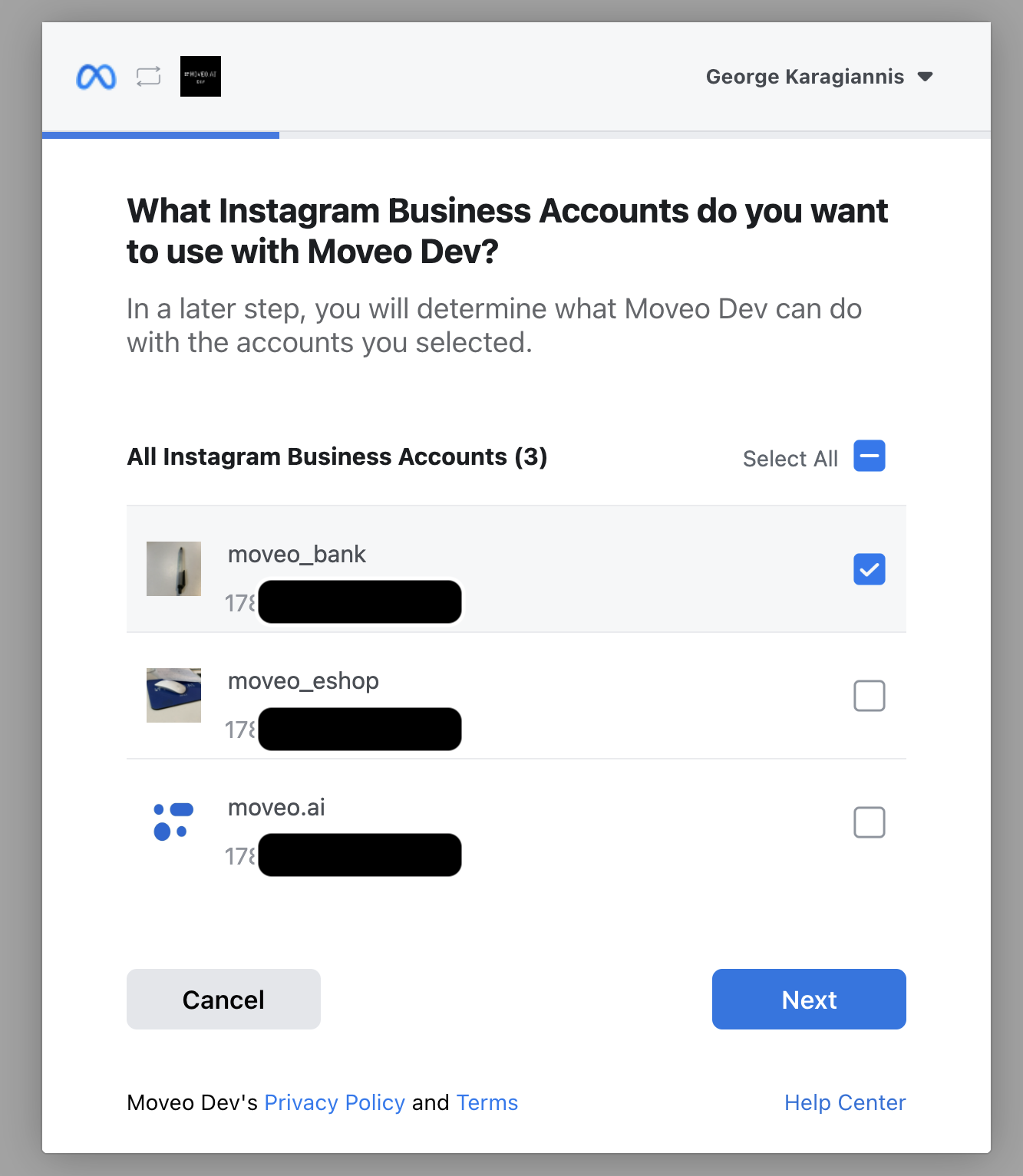
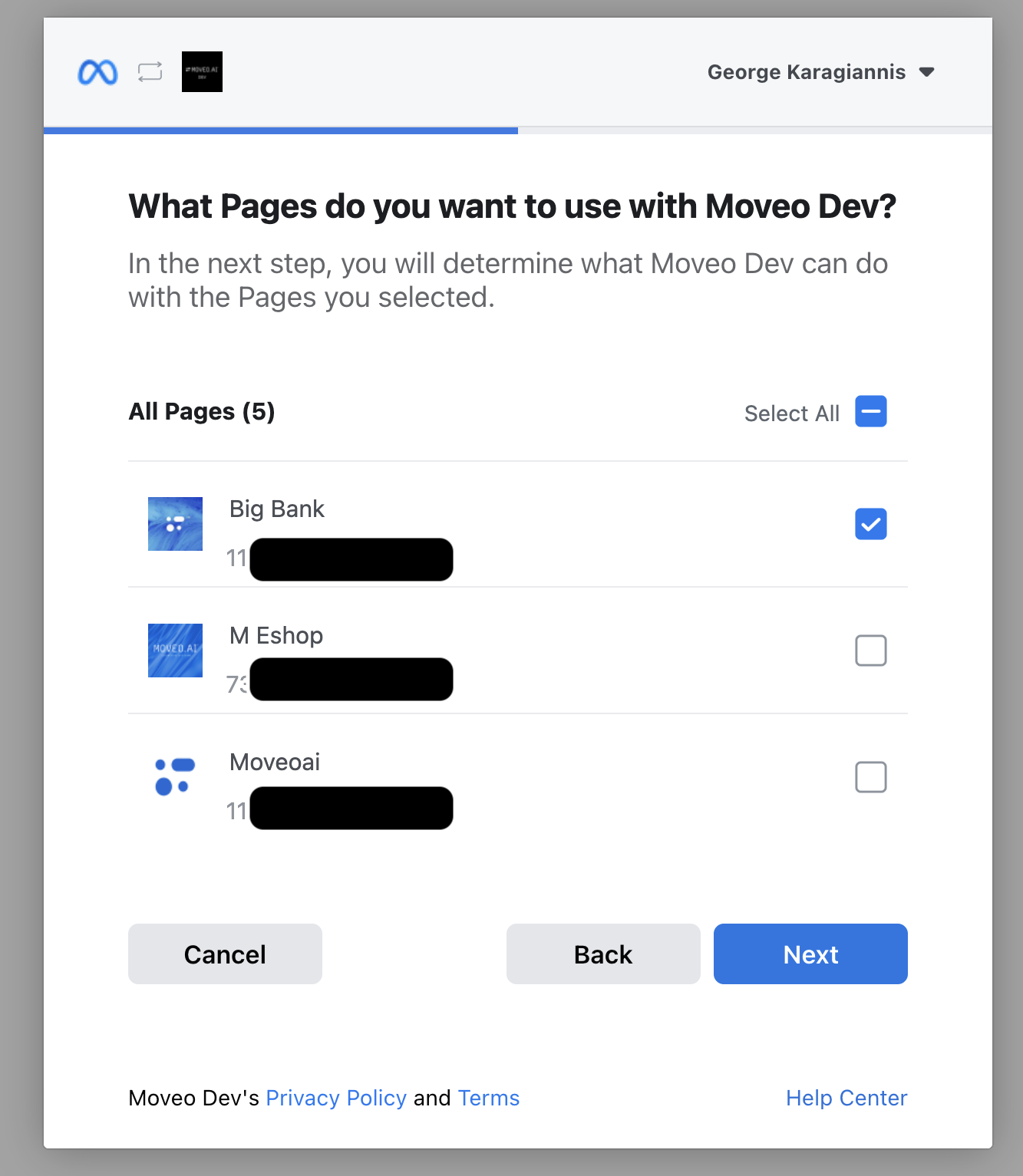
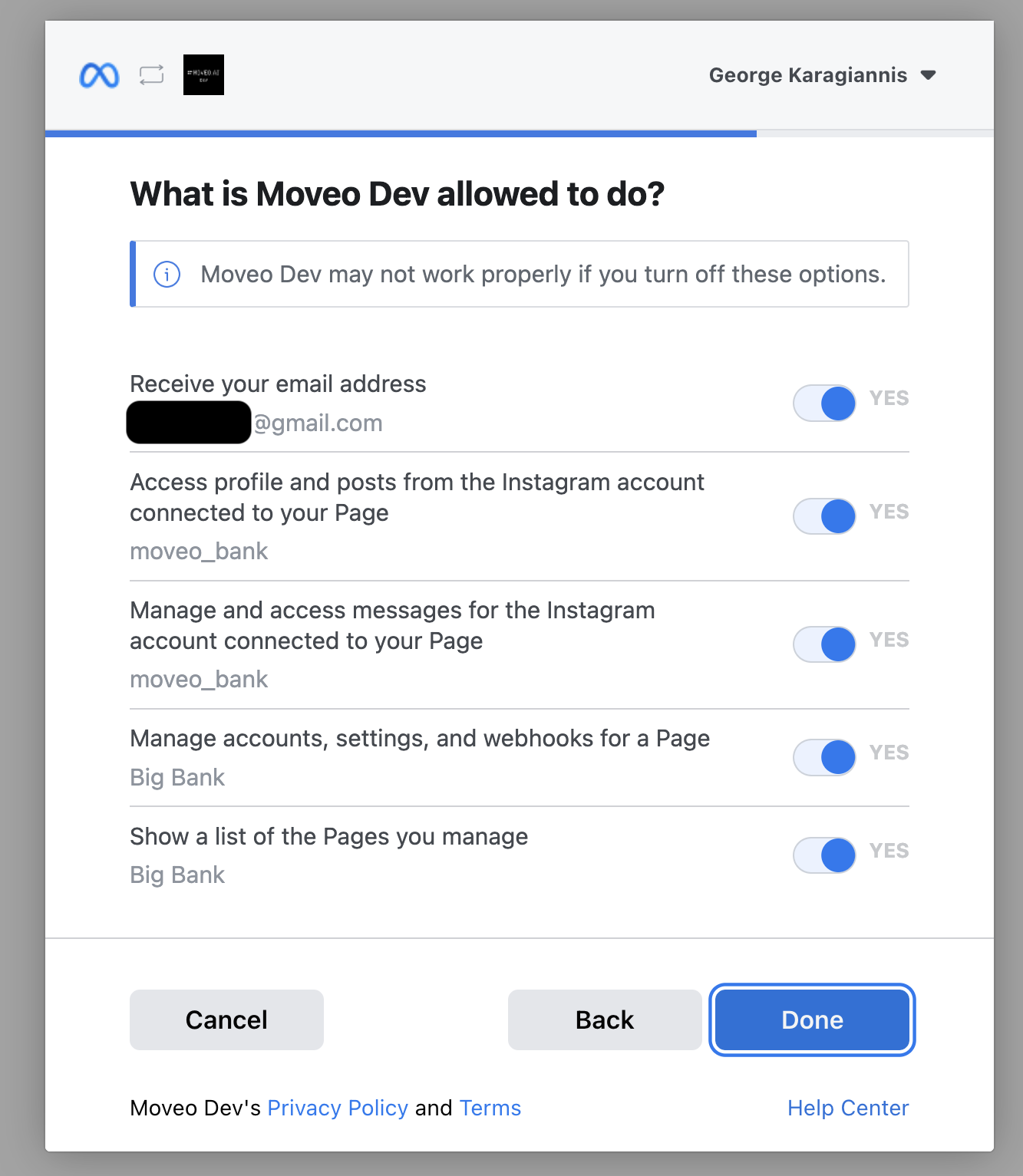
- When you complete the process in the Meta Dialog Window, Meta returns you to Moveo, where you can configure your integration.
Connect more than one Instagram account
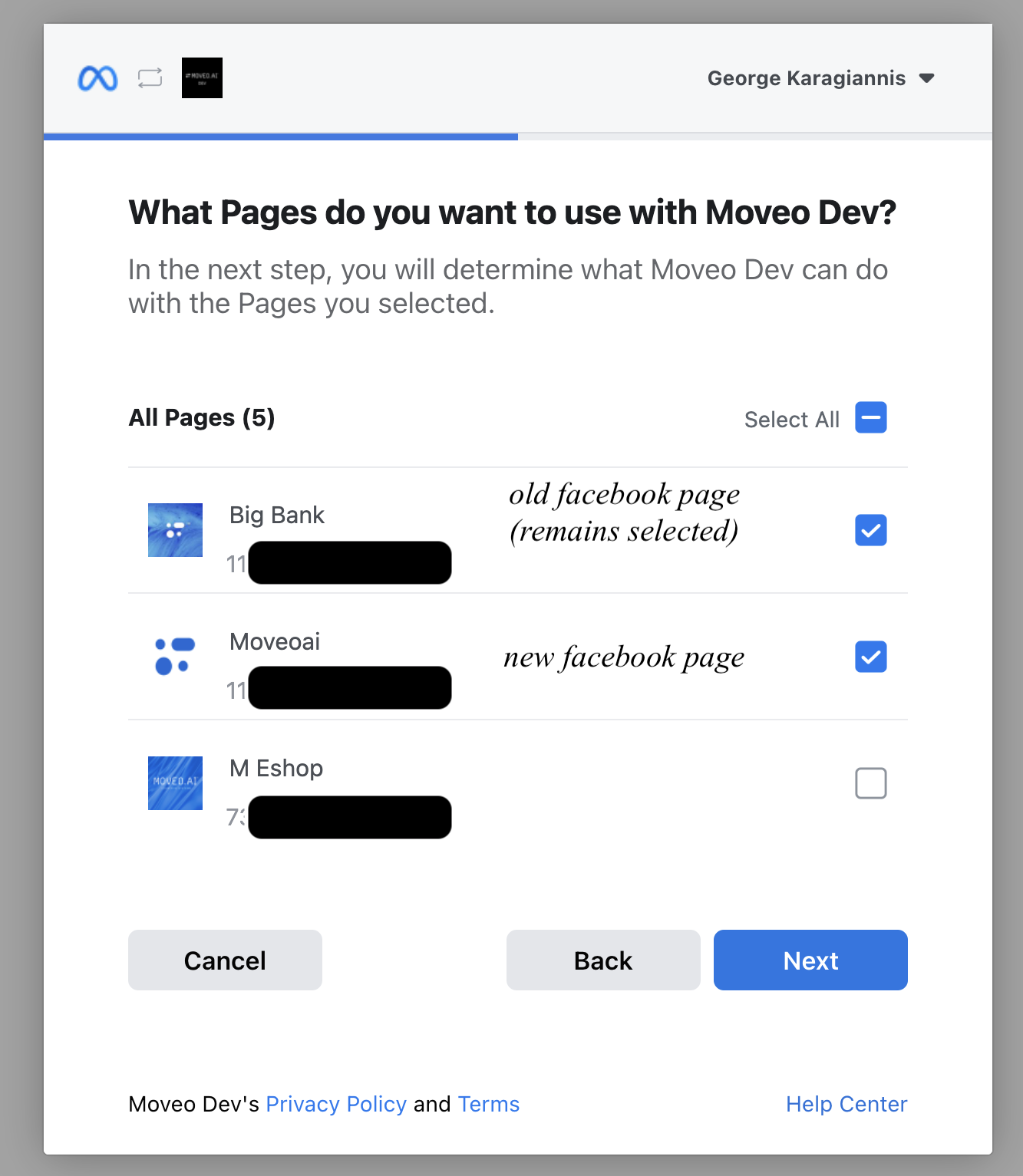
If you have already connected an Instagram account to Moveo, then you must keep your previously connected Instagram accounts and their linked Facebook Pages selected in the Meta Dialog Window to preserve an active connection. Follow the steps outlined below:
- Click Connect to redirect to the Meta Dialog Window.
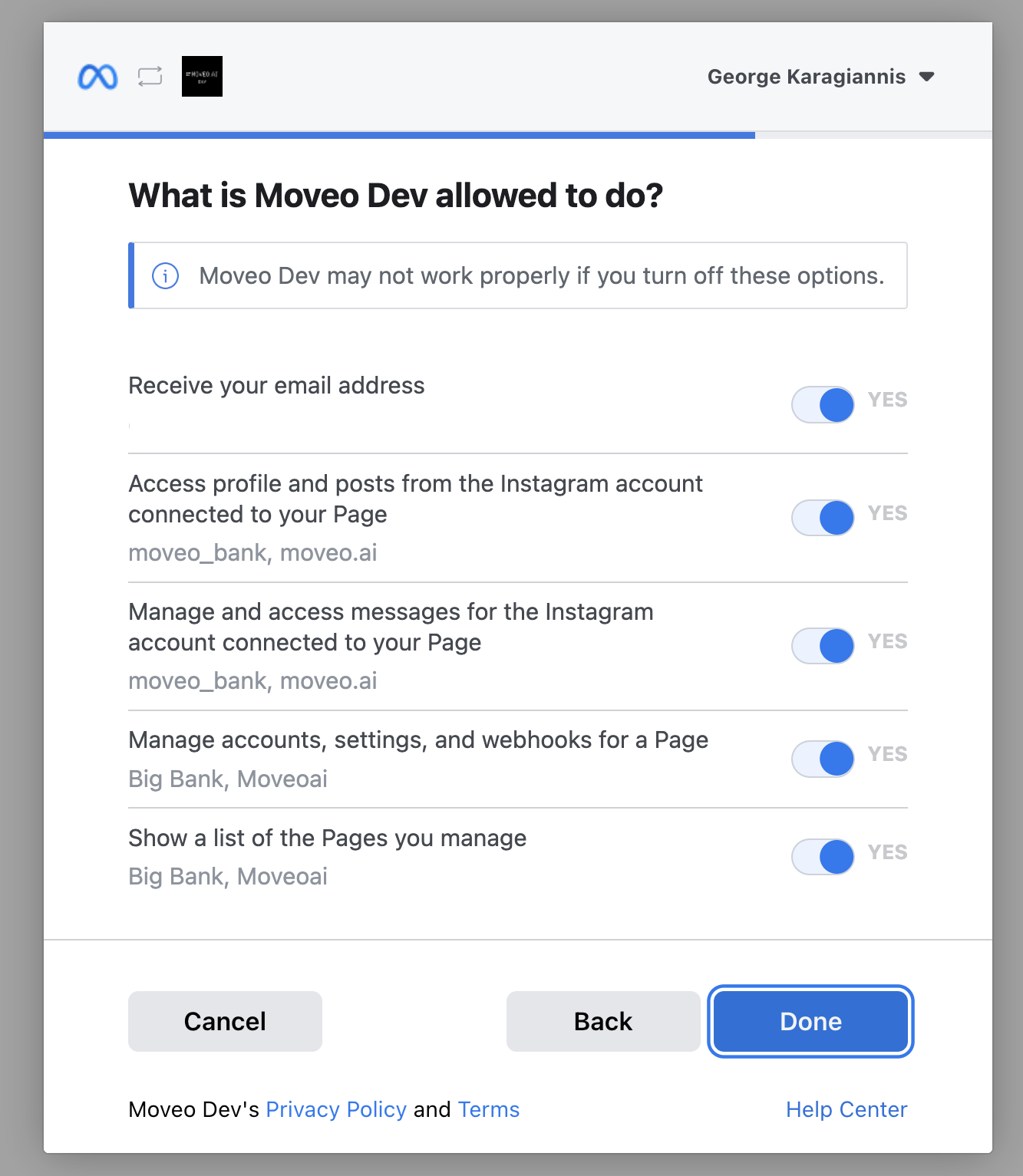
- In the Meta Dialog Window, select the new Instagram account and its linked Facebook Page, while keeping the old one(s) selected. Grant all permissions to Moveo.
- Select one Instagram account
- Select the linked Facebook Page
- Grant all permissions
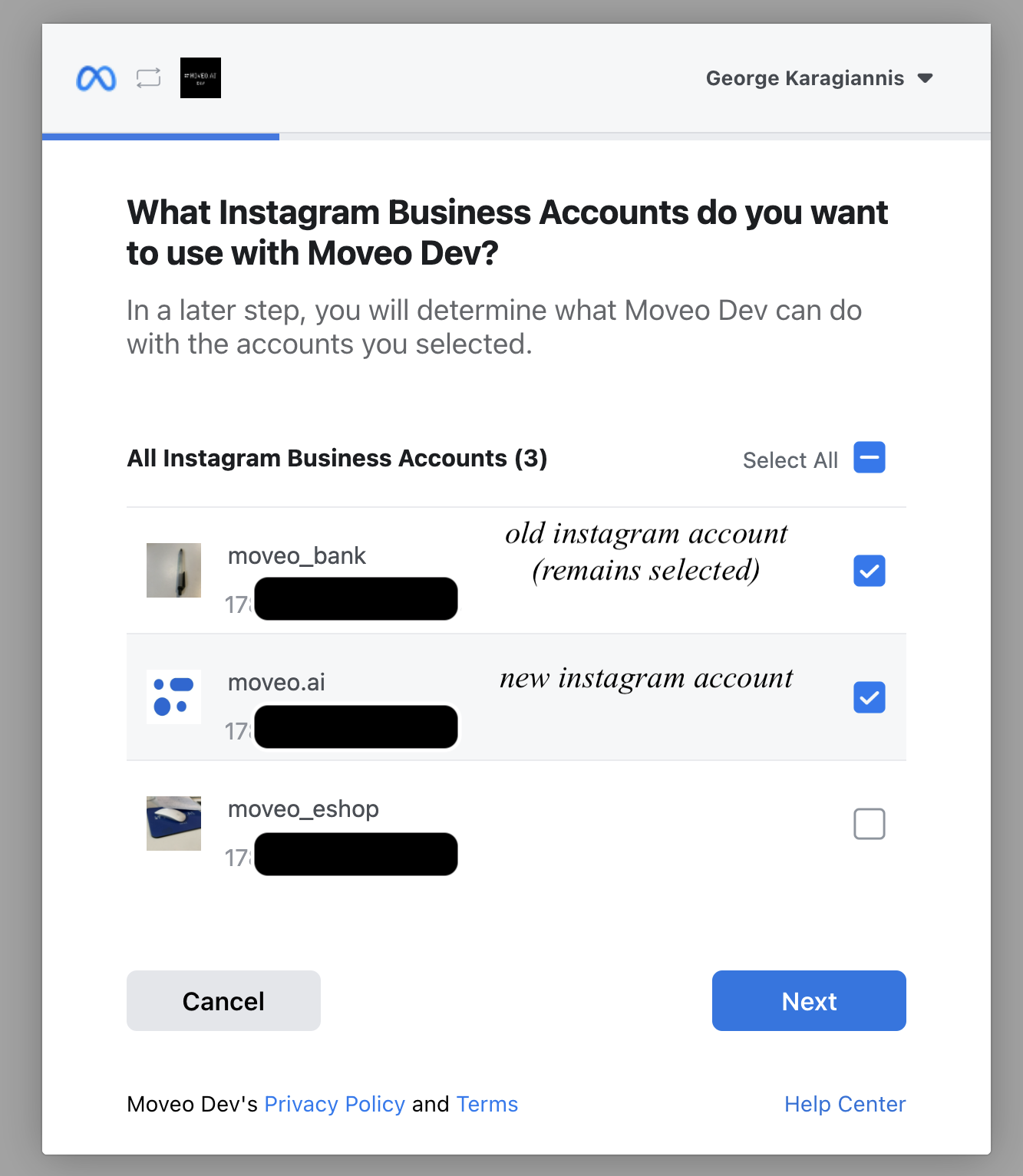
- When you complete the process in the Meta Dialog Window, Meta returns you to Moveo, where you can configure your integration.
Configure your integration
After you connect your Instagram account to Moveo, configure the integration. Instagram has fewer configuration options than Facebook Messenger.
Status
To start receiving messages, you need to make your integration Active.
Advanced security settings
In some cases, the webview may need to exchange context with the AI agent. To ensure that the data is secure, you need to create a pair of RS256 private/public keys. Add your public key in your integration in PEM format.
Coexistence
Coexistence lets your team reply to customers from the Instagram app. When a person replies from the app, the AI agent stops answering that customer. This works like WhatsApp coexistence. Coexistence is off by default.
To turn on coexistence:
- Open your Instagram integration.
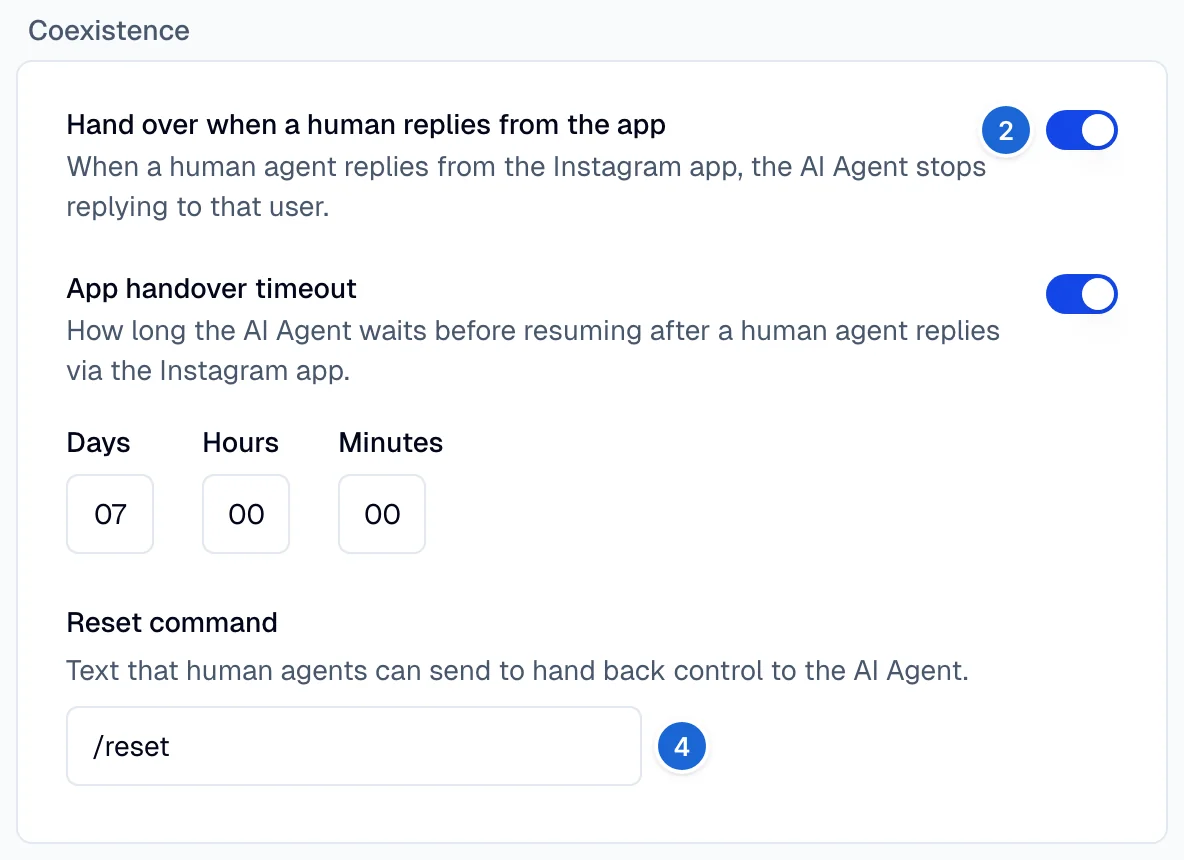
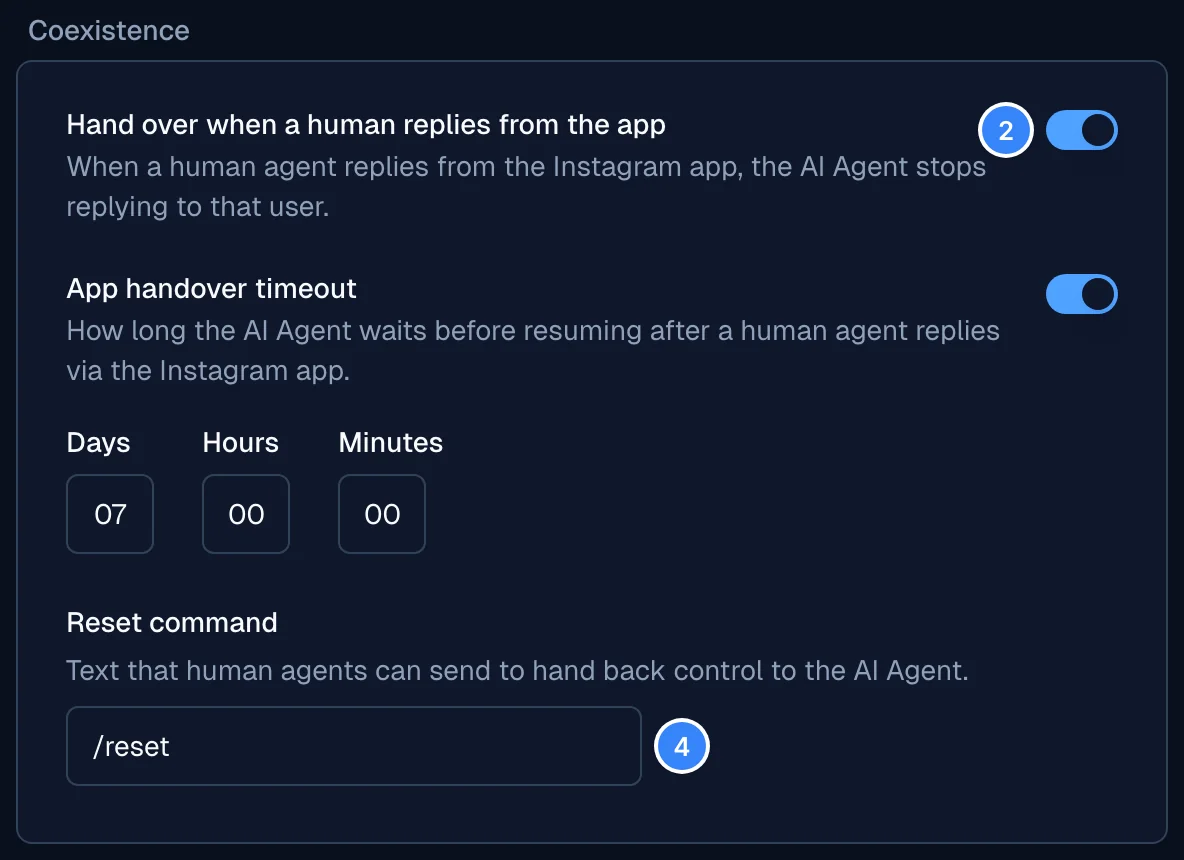
- In the Coexistence card, turn on Hand over when a human replies from the app.
- Optional: turn on App handover timeout and set how long the AI agent stays paused. The default and the maximum are 7 days.
- Optional: in Reset command, enter the text that gives the conversation back to the AI agent.
The default is
/reset. The maximum is 64 characters. - Select Save.
When a person replies to a customer from the Instagram app, these things occur:
- Moveo hands the conversation over to your human agents.
- Moveo records the text of the reply in the conversation history.
- The AI agent stays paused for that customer until the timeout ends or a person sends the reset command.
If no conversation exists, Moveo creates one that is already handed over. While the AI agent is paused, a new conversation from that customer also goes to your human agents.
To give the customer back to the AI agent before the timeout ends, send the reset command from the Instagram app. The match ignores case and spaces at the start and end. Moveo does not record the reset command in the conversation history. A conversation that is already handed over stays with your human agents. The AI agent answers the next new conversation from that customer.
Every message that you send from the Instagram app goes to the customer, and this includes the reset command. Use a reset command that reads naturally in the conversation.
For the AI agent to answer after the reset, you need a rule with the trigger A customer starts a conversation that assigns the AI agent. See Rules.
Coexistence has these limits:
- Coexistence applies to Instagram only. Facebook Messenger does not support it.
- Moveo records only the text of a reply from the app.
- Automatic replies from the Instagram app, such as away messages, also count as a human reply.
Troubleshooting
Not Page Admin error
You need Admin access to the Facebook Page linked to your Instagram account:
- Check your role in Facebook Page settings
- Request Admin access from current Page admin
- Ensure Page is properly linked to Instagram account
- Verify you're using the correct Facebook account
Permission errors
Grant all requested permissions in the Meta Dialog Window:
- Review each permission carefully
- Ensure all checkboxes are selected
- Don't skip any permission requests
- Re-authenticate if permissions were denied
Multiple account connection issues
When connecting additional accounts:
- Keep ALL previously connected accounts selected
- Add only ONE new Instagram account
- Select the corresponding Facebook Page
- Don't deselect existing connections
Messages not being received
- Verify integration is set to Active in Moveo
- Check Instagram account is properly linked to Facebook Page
- Ensure webhook permissions are granted
- Confirm AI agent is assigned to the environment
Responses not sending
- Check Instagram account status and restrictions
- Verify Facebook Page is published and active
- Review Meta app permissions and status
- Check that you have not reached a rate limit
Limitations
Platform restrictions
- Professional account required: Cannot use personal Instagram accounts
- Facebook Page dependency: Must maintain active Facebook Page connection
- Meta's policies: Subject to Instagram and Facebook business policies
- Message types: Limited to text and basic media formats
Integration constraints
- More than one account: You can connect more than one Instagram account. Keep the accounts that you connected before selected in the Meta window. See Connect more than one Instagram account
- Admin access required: Must maintain Admin role on connected Facebook Page
- Page connection: Instagram account must remain linked to Facebook Page
- Business verification: Some features require Meta Business verification
Resources
Documentation
- Instagram Business Guide
- Facebook Page Management
- Instagram messaging on the Messenger Platform, the Meta API that this integration uses
Tools
Support
- Instagram Business Help
- Meta Business Help
- Moveo support: support@moveo.ai
Next steps
Once your Instagram integration is active:
- Optimize your business profile for customer engagement
- Test thoroughly with different message types
- Configure handover rules for complex inquiries
- Monitor Instagram insights to track performance
- Train your team on Instagram-specific workflows